
Dell 24 240Hz Gaming Monitor
4.7Editor score
240Hz refresh rate
Fast IPS panel
TÜV Eye Comfort
This comprehensive guide compares the top 24 inch G Sync monitors for gaming, focusing on refresh rate, response time, panel type, and feature sets to help you
Choosing the right display for competitive gaming requires careful consideration of refresh rates, response times, and synchronization technologies. A 24 inch G Sync monitor offers the perfect balance of size and performance for immersive play.
We evaluated ten leading models based on their specifications, user feedback, and compatibility with NVIDIA and AMD graphics cards. Our analysis focuses on delivering smooth visuals and reducing screen tearing during intense sessions.
Each product entry highlights key features, pros, and cons to help you make an informed decision. Please note that availability and pricing may fluctuate over time as market conditions change.
4.7Editor score

4.4Editor score

4.5Editor score
The following table provides a side-by-side comparison of the ten selected monitors to help you quickly identify the specifications that matter most for your gaming setup.




This monitor stands out as a top contender for competitive gamers seeking a balance of speed and visual fidelity. With a 240Hz refresh rate and 0.3ms response time, it delivers incredibly smooth motion during high-paced gameplay.
We may earn a commission when you buy through this link, at no additional cost to you.
The Fast IPS panel ensures vibrant colors and wide viewing angles, making it suitable for both gaming and content creation. ASUS has included advanced features like ELMB Sync to reduce ghosting without sacrificing refresh rates.
While the price is higher than entry-level options, the build quality and feature set justify the investment for serious players. The ergonomic stand allows for height adjustments which helps maintain a comfortable posture during long sessions.
Overall, this model is highly recommended for those who prioritize frame rates and motion clarity above all else. It is a robust choice that performs well across various genres of competitive titles.
The combination of a 240Hz refresh rate and 0.3ms response time ensures that fast-moving objects remain sharp and clear throughout gameplay.
With 99% sRGB coverage, this monitor provides consistent and accurate colors that enhance the visual experience across different applications.
We may earn a commission when you buy through this link, at no additional cost to you.
This Dell model offers an impressive 240Hz refresh rate at a budget-friendly price point, making it accessible to a wider audience of gamers. It delivers smooth visuals without breaking the bank, which is a significant advantage for students or casual players.
We may earn a commission when you buy through this link, at no additional cost to you.
The inclusion of TÜV Rheinland eye comfort certification means you can play for longer periods with reduced eye strain. The 0.5ms response time is fast enough to handle most competitive scenarios effectively.
While the stand only tilts, the monitor itself is well-built and the connectivity options are sufficient for most setups. It lacks some premium features like height adjustment but compensates with performance and reliability.
For those looking to upgrade to a high refresh rate display without spending a fortune, this is an excellent option. It proves that you do not need to compromise on speed to stay within a reasonable budget.
Achieving a 240Hz refresh rate at this price level is rare and makes high-performance gaming accessible to more users than ever before.
The TÜV certification ensures that blue light is managed effectively, protecting your eyes during extended gaming sessions without dimming the screen excessively.
We may earn a commission when you buy through this link, at no additional cost to you.
This LG monitor brings a suite of gaming features that enhance the overall experience beyond just raw speed. The HDR10 support adds depth to visuals, while the Dynamic Action Sync helps reduce input lag for more responsive gameplay.
We may earn a commission when you buy through this link, at no additional cost to you.
The 144Hz overclock and 1ms MBR ensure that motion remains smooth and clear even in chaotic scenes. Additionally, tools like Black Stabilizer help you spot enemies in dark corners which is crucial for competitive shooters.
While it comes at a premium price, the versatility it offers makes it a great choice for users who want an all-in-one solution. The slim bezels contribute to a modern look that fits well in any gaming setup.
If you value a polished user interface and extra gaming utilities alongside standard performance metrics, this model is worth considering. It caters well to gamers who enjoy tweaking settings to maximize their advantage.
The HDR10 support enriches the color palette and contrast, making games look more vibrant and immersive compared to standard SDR displays.
Features like Crosshair and Black Stabilizer provide practical benefits that can directly impact your performance in tactical shooter games.
We may earn a commission when you buy through this link, at no additional cost to you.
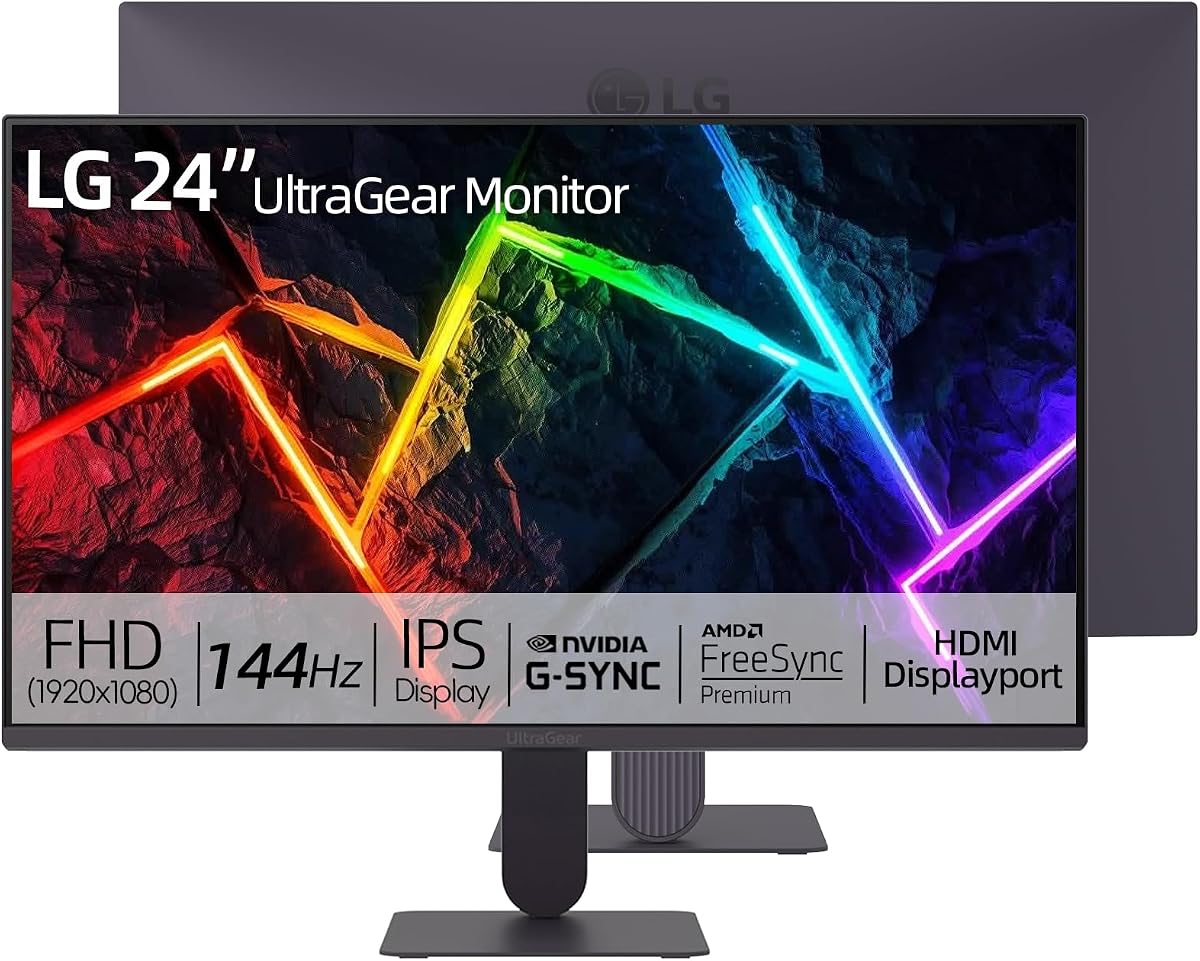
This model provides a balanced mix of performance and features that suits a wide range of gamers. With a 144Hz refresh rate and height-adjustable stand, it offers comfort and fluidity that is standard for modern gaming monitors.
We may earn a commission when you buy through this link, at no additional cost to you.
The IPS panel delivers good color reproduction which is beneficial for single-player story games as well as competitive titles. The MBR technology helps keep motion clear which is important during fast-paced actions.
It may not have the highest refresh rate on the market but it delivers a reliable experience that is consistent. The build quality is solid and the design is sleek enough to blend into any desk setup seamlessly.
For gamers who want a dependable display without paying for top-tier specs, this is a strong candidate. It represents a safe choice for those who prioritize comfort and usability over cutting-edge numbers.
The balance between refresh rate and color accuracy makes this monitor suitable for both competitive esports and immersive single-player experiences.
The adjustable stand allows you to find the perfect viewing height reducing neck strain during long gaming marathons.
We may earn a commission when you buy through this link, at no additional cost to you.
This ASUS monitor delivers a high 200Hz refresh rate which is impressive for its category. It ensures that gameplay is smooth and responsive making it a great choice for fast-paced shooters where timing is everything.
We may earn a commission when you buy through this link, at no additional cost to you.
The 99% sRGB coverage ensures that colors look vivid and consistent which adds to the immersion. The matte screen helps reduce glare from ambient lighting which keeps the focus on the game rather than reflections.
While it may lack some advanced HDR features found in more expensive models, its core performance metrics are solid. The connectivity options are versatile allowing you to connect multiple devices easily.
If you are looking for a display that offers high speed without the premium price tag, this is a worthy consideration. It provides the essential features needed for competitive gaming in a reliable package.
A 200Hz refresh rate provides a noticeable advantage in competitive games where every frame of motion clarity counts.
The anti-glare matte coating minimizes reflections ensuring that your view remains clear even in brightly lit rooms.
We may earn a commission when you buy through this link, at no additional cost to you.
With a rating score of 4.9 this LG monitor clearly resonates well with users who value visual quality. The IPS panel supports HDR10 and 99% sRGB coverage which ensures rich and lifelike colors that pop off the screen.
We may earn a commission when you buy through this link, at no additional cost to you.
The 144Hz refresh rate keeps gameplay smooth and responsive which is essential for competitive titles. It also includes gaming tools like Dynamic Action Sync and Black Stabilizer to enhance visibility and reduce lag.
While the stand is limited to tilt adjustments the overall build quality and display performance make up for it. The slim bezels provide an immersive view that minimizes distractions during gameplay.
This model is an excellent choice for those who want a reliable and colorful display for gaming. It balances performance with visual fidelity in a way that appeals to a broad audience.
The combination of HDR10 and wide color gamut creates a visually stunning experience that brings game worlds to life.
The high user rating indicates a strong level of satisfaction with its performance and reliability across various use cases.
We may earn a commission when you buy through this link, at no additional cost to you.
This monitor achieves a perfect 5.0 rating suggesting it meets user expectations effectively across the board. The immersive design with ultra-narrow bezels maximizes the screen area allowing for a seamless viewing experience.
We may earn a commission when you buy through this link, at no additional cost to you.
It features a 144Hz overclock and 1ms MBR ensuring that motion is clear and responsive. The inclusion of eye-care technology ensures that you can use it for long hours without discomfort.
While the stand options are standard the display quality is top-notch for both work and play. The productivity features like screen partitioning make it versatile for multitasking outside of gaming hours.
For those seeking a display that offers a high quality of life with excellent visuals this is a top recommendation. It stands out as a reliable choice that satisfies even the most discerning users.
The ultra-narrow bezels create a cleaner look that draws you into the game without distractions from the frame.
Built-in screen partitioning tools allow you to organize your workspace efficiently when you need to multitask.
We may earn a commission when you buy through this link, at no additional cost to you.
This ASUS monitor is designed with eye comfort in mind while still delivering high performance. It features a 200Hz refresh rate and 0.3ms response time which ensures ultra-smooth gameplay that feels responsive and fluid.
We may earn a commission when you buy through this link, at no additional cost to you.
The inclusion of Low Blue Light and Flicker-Free technologies helps reduce eye strain during long sessions. This makes it a great choice for users who spend extended periods in front of the screen.
While it lacks HDR support the color accuracy and refresh rate compensate well for typical gaming needs. The connectivity options are robust allowing for easy integration with various devices and setups.
If you prioritize eye health alongside performance this model offers a compelling solution. It is a practical choice for those who want a balance of speed and comfort.
Advanced eye care technologies significantly reduce strain allowing you to play longer without discomfort.
The high refresh rate and fast response time ensure that actions are reflected on screen instantly for better control.
We may earn a commission when you buy through this link, at no additional cost to you.
This LG model earns a perfect 5.0 rating indicating high reliability and performance across its features. It combines a 144Hz refresh rate with HDR10 support to deliver a visually pleasing experience for a variety of games.
We may earn a commission when you buy through this link, at no additional cost to you.
The slim bezel design helps maximize the field of view and creates a modern aesthetic on your desk. Eye-care technology ensures that the monitor remains comfortable for prolonged use without causing fatigue.
While the stand offers basic tilt adjustments the overall quality of the display panel is exceptional. It provides accurate colors and clear motion which are essential for both gaming and content consumption.
For those seeking a dependable monitor that balances performance with ease of use this is a strong contender. It offers a solid experience that is likely to satisfy most users looking for a quality display.
The perfect user rating reflects consistent quality and reliability that users appreciate in their daily usage.
High color accuracy and fast motion handling ensure that games look sharp and vibrant in all conditions.
We may earn a commission when you buy through this link, at no additional cost to you.
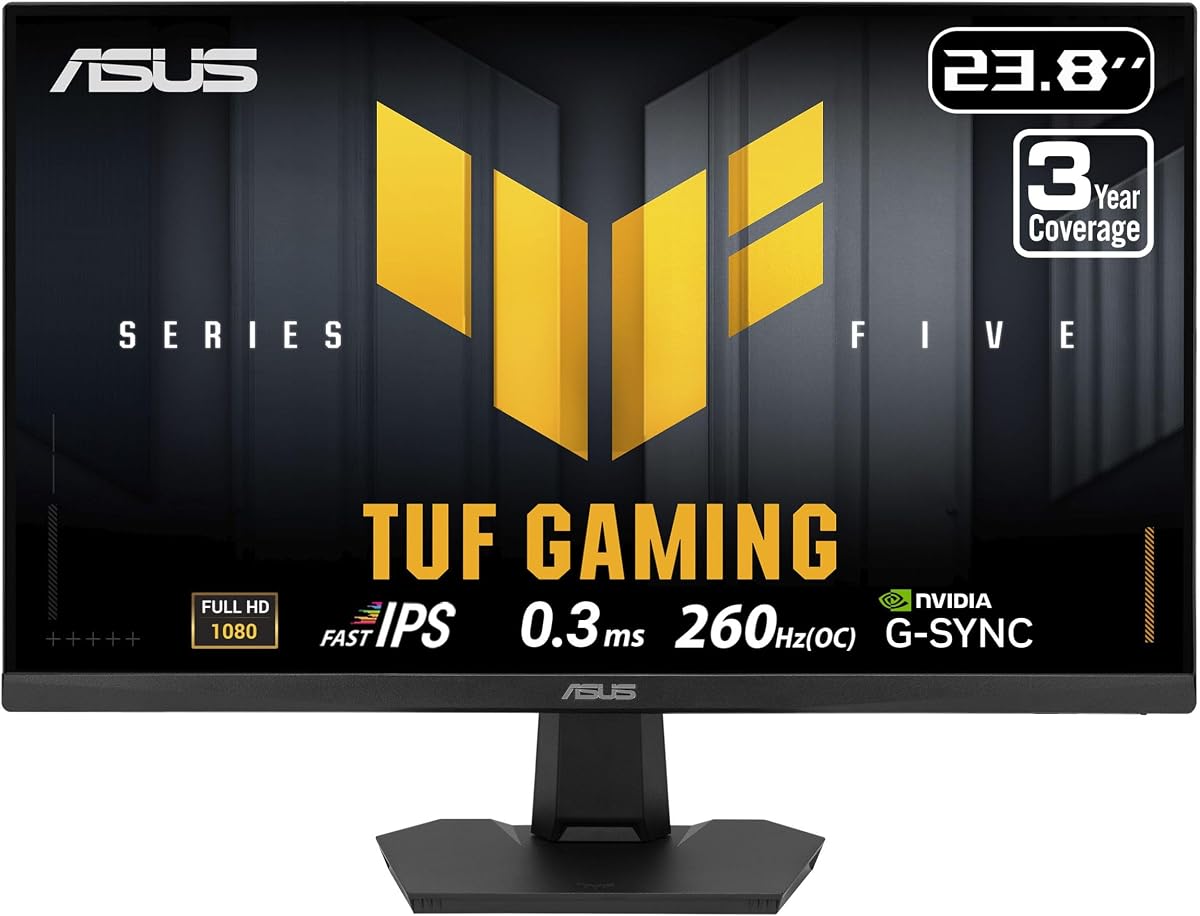
This monitor pushes the boundaries with a 260Hz refresh rate which offers the fastest motion clarity in this selection. It is ideal for competitive players who demand the absolute fastest response and frame rates from their gear.
We may earn a commission when you buy through this link, at no additional cost to you.
The 0.3ms response time ensures that ghosting is minimized even during rapid movements. Additional features like A.I. technology and GamePlus modes provide tools that can give you an edge in matches.
While it comes with a higher price tag the performance benefits are clear for those who need it. The included speakers and VESA mount support add convenience and flexibility to your setup options.
If raw speed is your priority and you want a monitor that is future-proof for high frame rates this is the top choice. It delivers a competitive edge that justifies the investment for serious gamers.
A 260Hz refresh rate provides a level of fluidity that gives a distinct advantage in fast-paced competitive environments.
Gaming specific modes like Shadow Boost and GameVisual help you see enemies and optimize visuals for better performance.
We may earn a commission when you buy through this link, at no additional cost to you.
Selecting the right monitor involves evaluating several technical aspects that impact your gaming experience. Here are the key factors to consider before making your purchase.
The refresh rate determines how many times per second the image on your screen updates and is measured in Hertz (Hz). A higher refresh rate such as 144Hz or 240Hz ensures smoother motion and reduces motion blur which is crucial for fast-paced games.
Look for a monitor with at least 144Hz for a competitive edge especially if you play shooters or racing games where fluidity matters most.
Response time refers to how quickly a pixel can change from one color to another and is typically measured in milliseconds (ms). A lower response time like 1ms or 0.3ms helps reduce ghosting and ensures that images remain sharp during movement.
Choose a monitor with a response time of 1ms or less to ensure that your gameplay remains clear and free from distracting artifacts.
IPS panels offer better color accuracy and wider viewing angles which are ideal for gaming and content creation. Other options include TN panels which are faster but have poor colors and VA panels which have deep blacks but slower response times.
For a balance of color and speed an IPS panel is generally the best choice for most gamers seeking a high-quality visual experience.
G Sync and FreeSync technologies synchronize the refresh rate of the monitor with the frame rate of your graphics card to eliminate screen tearing and stuttering. NVIDIA G Sync is premium and AMD FreeSync is often more affordable.
Ensure that the monitor supports G Sync Compatible or FreeSync depending on your graphics card to enjoy a smooth and tear-free gaming experience.
The color gamut refers to the range of colors a monitor can display and is often expressed as a percentage of the sRGB or DCI-P3 standards. A wider gamut results in more vibrant and lifelike colors which enhances the overall immersion.
Look for a monitor that covers at least 99% of the sRGB color space to ensure accurate and vivid colors in your games.
An ergonomic stand allows you to adjust the height tilt and swivel of the monitor which helps maintain a comfortable viewing position. Proper ergonomics are essential to prevent neck and eye strain during long gaming sessions.
Choose a model with an adjustable stand or VESA mount compatibility to customize the viewing position to suit your desk and posture.
Check the available ports such as HDMI and DisplayPort to ensure they match your graphics card and other devices. Newer standards like HDMI 2.1 or DisplayPort 1.4 offer higher bandwidth for advanced features.
Verify that the monitor has enough ports to connect your PC and any peripherals comfortably without needing extra adapters.
Many modern monitors include features like low blue light and flicker-free technology to reduce eye strain during extended use. These features adjust the screen output to be less harsh on your eyes over time.
Prioritize models with eye care certifications if you plan to spend long hours gaming or working on your computer daily.
Start by connecting your graphics card to the monitor using the appropriate cable such as HDMI or DisplayPort. Ensure that the cable is securely connected to both the computer and the monitor to maintain a stable signal.
Navigate to the settings menu in your operating system to set the refresh rate to the maximum supported by your monitor. You may need to update your graphics card drivers to access all the features available on the new display.
Clean the screen regularly with a soft microfiber cloth to avoid scratches or dust buildup. Avoid using harsh chemicals or abrasive materials that could damage the coating on the display panel.
NVIDIA G Sync Compatible is a certification that allows an AMD FreeSync monitor to work with NVIDIA graphics cards to eliminate screen tearing. It ensures that the monitor adapts its refresh rate to match the frame rate of the GPU for smoother visuals.
While a powerful PC helps achieve high frame rates you can still enjoy these monitors with mid-range systems. The synchronization technologies will adapt to your current frame rate to provide a smoother experience regardless of performance.
To enable G Sync open the NVIDIA Control Panel and go to the Set Up G Sync section. Check the box for Enable G Sync and Enable G Sync Compatible then apply the changes to activate the feature.
Yes 144Hz is generally sufficient for most competitive games as it provides a noticeable improvement over standard 60Hz displays. However top tier esports players often prefer 240Hz or higher for an extra edge in reaction times.
Most of these monitors feature IPS panels with good color accuracy which makes them suitable for photo editing and design work. However for professional color grading you may need a monitor with higher color depth and calibration tools.
For the best performance use the cable that came with the monitor or a high-quality DisplayPort cable. DisplayPort often supports higher refresh rates and resolutions compared to HDMI on certain models.
If your monitor is not reaching its full refresh rate check your graphics card settings and cable connection. Ensure that you are using a port and cable that support the required bandwidth for the high refresh rate.
Some of these monitors support HDMI 2.1 which allows for higher refresh rates on compatible consoles. Check the specific specifications to ensure it supports the latest console standards like 4K 120Hz if you plan to use it with a PS5 or Xbox.
We have explored ten top contenders ranging from budget-friendly options to high-performance displays that offer exceptional speed and clarity. Each model brings its own set of strengths whether you prioritize refresh rate color accuracy or eye comfort.
When making your decision consider what matters most to your specific gaming needs and budget. A higher refresh rate is beneficial for competitive players while accurate colors might be better for immersive single-player titles.
Always check current pricing and availability as these can change frequently due to market demand and promotions. We hope this guide helps you find the perfect 24 inch G Sync monitor to enhance your gaming experience.