
MFi Certified USB 3.0 Flash Drive 128GB for iPhone
4.3Editor score
MFi certified for iOS
128GB storage capacity
Three interface connectors
Compare the top 10 flash drives for iPhone in October 2026. This guide reviews capacity, speed, and compatibility to help you choose the right storage.
Modern smartphones often lack sufficient storage for high-resolution photos and videos. Flash drives for iPhone provide a reliable solution to expand capacity without relying on cloud services.
We evaluated ten top-rated drives based on connectivity, transfer speed, durability, and ease of use. Each option offers unique features for iOS and cross-platform compatibility.
Every pick highlights key specs and real-world performance. Prices and availability change frequently, so verify current details before purchasing to ensure you get the best value.
4.3Editor score

4.3Editor score

4.6Editor score
This table offers a side-by-side look at key specifications for every drive we reviewed. It helps you quickly compare ports, capacity, and standout features.


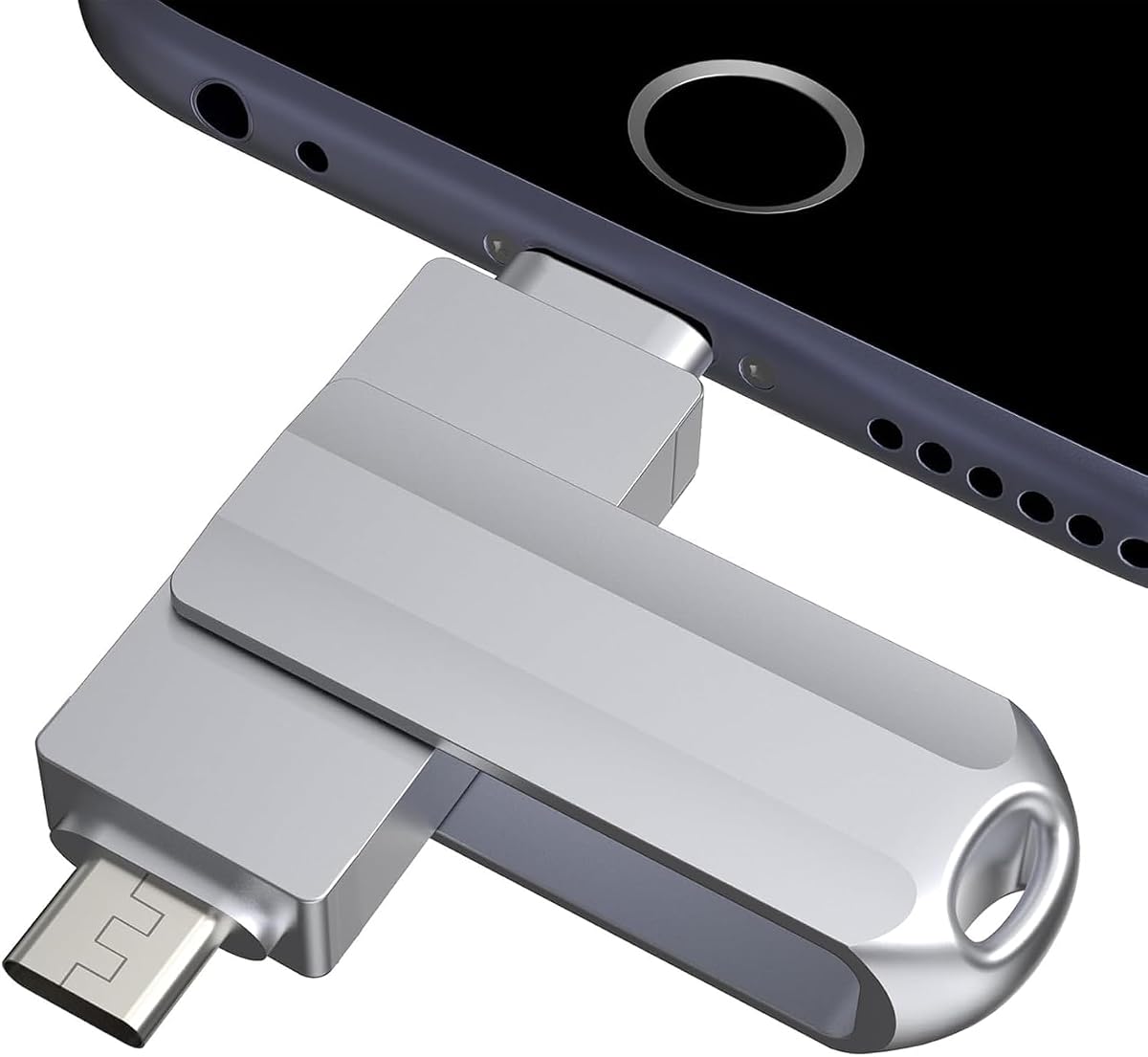


This versatile drive stands out as a top choice for iPhone users needing reliable storage. With MFi certification, it ensures secure data access without warnings.
We may earn a commission when you buy through this link, at no additional cost to you.
The 256GB capacity handles large 4K videos and photo libraries effortlessly. Its three ports allow seamless transfers between iOS, Android, and PC devices.
While the app adds a step for iPhone users, it enables one-click backups and encryption. This trade-off is acceptable for the added security and ease.
It is ideal for travelers and professionals who need quick access to files. Buy this if you prioritize compatibility and robust storage across devices.
MFi certification ensures the drive meets Apple standards for safe data transfer and charging.
The three ports let you move files between iPhone, Android, and laptops without extra cables.
We may earn a commission when you buy through this link, at no additional cost to you.
This budget-friendly option delivers solid performance without breaking the bank. It is perfect for casual users who need extra space for photos.
We may earn a commission when you buy through this link, at no additional cost to you.
The 128GB capacity frees up space on your device quickly. Its 3-in-1 design supports iOS, Android, and PC seamlessly.
You will need to download the app for full functionality on iPhone. This is a minor inconvenience for the value and ease of use.
Choose this drive if you want reliable storage at a low cost. It is great for backups and sharing media with friends.
Affordable price makes it accessible for anyone needing extra space on their phone.
Share photos and videos directly to social media from the drive via the app.
We may earn a commission when you buy through this link, at no additional cost to you.
SANDISK offers a premium experience with this dual connector drive. It supports both older Lightning and newer USB-C iPhones seamlessly.
We may earn a commission when you buy through this link, at no additional cost to you.
The Memory Zone app provides smart backup options and file management. It ensures your data is organized and protected with encryption.
Although the app is required, it streamlines the process significantly. The higher cost reflects the reliability and advanced features included.
This drive is best for users seeking trusted quality and security. Ideal for professionals needing robust protection for important data.
Compatible with iPhone 15 and older models, covering all major iOS generations.
Real-time progress tracking and partial backups make managing storage easier.
We may earn a commission when you buy through this link, at no additional cost to you.
Lexar delivers incredible transfer speeds that outpace many competitors. This solid state drive handles large files with remarkable efficiency.
We may earn a commission when you buy through this link, at no additional cost to you.
It uses USB-A and USB-C ports for broad compatibility. This is great for iPad Pro and newer iPhones, but not older models.
The lack of an app simplifies use significantly for many users. You can plug and play directly on supported devices without extra steps.
Buy this if you need raw speed and durability. It is a great choice for Mac and Android users on the go.
Read speeds up to 400MB/s let you move 4K videos in seconds.
Metal housing protects the drive from drops and daily wear and tear.
We may earn a commission when you buy through this link, at no additional cost to you.
This drive features a unique retractable design that protects the connector. Its MFi certification ensures reliable performance with iOS devices.
We may earn a commission when you buy through this link, at no additional cost to you.
The four interfaces cover most modern needs, including Micro USB for older Androids. This versatility is a major plus for multi-device households.
Be aware that manufacturers calculate GB differently than computers. Actual usable space may be slightly less than labeled, which is standard.
Choose this drive for its thoughtful design and broad compatibility. It is great for keeping your data safe and accessible anywhere.
Sliding covers prevent connector damage, making it safer to carry in a bag.
Four ports ensure you can connect to almost any phone or laptop easily.
We may earn a commission when you buy through this link, at no additional cost to you.
Lexar simplifies design with a swivel mechanism that avoids lost caps. This ensures you never fumble for a cover in a rush.
We may earn a commission when you buy through this link, at no additional cost to you.
It works seamlessly with USB-C devices and traditional Type-A ports. The metal build withstands temperatures well, making it durable.
Security is handled via advanced software with 256-bit encryption. This protects your files if the drive is ever lost or stolen.
This drive is perfect for those who value durability and simplicity. It is an excellent tool for transferring files to Mac or Android.
360-degree rotation makes switching connectors fast without removing caps.
Encryption keeps sensitive data safe from unauthorized access on shared devices.
We may earn a commission when you buy through this link, at no additional cost to you.
This drive offers massive 512GB storage, perfect for heavy media users. It connects to both Lightning and USB-C iPhones without adapters.
We may earn a commission when you buy through this link, at no additional cost to you.
A USB-A adapter is included, letting you transfer to laptops easily. The mFlash app helps organize your files and backups effectively.
While the app adds a layer, it simplifies photo management significantly. This capacity ensures you will not run out of space anytime soon.
Choose this drive if you need serious storage for your media. It is ideal for filmmakers or photographers on a budget.
512GB holds thousands of high-resolution photos and hours of video content.
Includes adapter for standard laptops, ensuring you can access files everywhere.
We may earn a commission when you buy through this link, at no additional cost to you.
This metallic drive combines style with practical performance for iPhone users. It is MFi certified for secure and reliable file access.
We may earn a commission when you buy through this link, at no additional cost to you.
The one-click backup feature makes managing photos incredibly easy. You can also encrypt files to keep your data safe.
Like others, it requires an app for full functionality. This is a common trade-off for enhanced control over your storage.
It is a great all-rounder for daily use and travel. Buy this if you want a balance of style and functionality.
Metal casing offers strong protection against drops and daily wear.
Quickly save your entire photo library with a single tap on the screen.
We may earn a commission when you buy through this link, at no additional cost to you.
SSK offers blistering speeds that are rare for portable drives. This is a top pick for users moving large files frequently.
We may earn a commission when you buy through this link, at no additional cost to you.
The dual USB design works with modern phones and laptops. Its zinc alloy shell protects it from shocks and scratches.
It works plug-and-play on most systems without needing apps. This simplicity is a major advantage for tech-savvy users.
Choose this drive if speed and durability are your top priorities. It is best for Android and Mac users on the go.
Read speeds up to 550MB/s make file transfers nearly instantaneous.
Works directly with operating systems, saving time and storage space.
We may earn a commission when you buy through this link, at no additional cost to you.
EATOP offers a simple solution for users who prefer no apps. It uses the native iOS Files app for direct access.
We may earn a commission when you buy through this link, at no additional cost to you.
The drive works with multiple ports, covering most scenarios. Its Rose Pink design adds a touch of personal style.
Transfer speeds are decent but slower than premium options. However, for casual backups, it is more than adequate.
Buy this if you want a straightforward tool without extra software. It is a great choice for everyday storage needs.
Uses the built-in Files app on iOS, requiring no extra downloads.
Multiple ports mean you can connect to almost any device easily.
We may earn a commission when you buy through this link, at no additional cost to you.
Choosing the right drive involves considering compatibility, capacity, and features. These factors ensure the device meets your specific needs.
Modern iPhones use USB-C, while older models use Lightning. Ensure the drive matches your device port or offers adapters.
Always verify the connector type before buying to avoid compatibility issues.
Choose capacity based on your media volume. 128GB is great for photos, while 512GB is better for video editors.
Higher capacity drives cost more but offer better long-term value.
Look for USB 3.0 or higher speeds for fast file transfers. Faster drives save time when moving large videos.
Prioritize high read and write speeds for a smooth workflow.
Some drives require apps for iOS backups, while others use the native Files app. Apps offer more features like encryption.
Decide if you prefer app control or direct system access.
Encryption keeps your data safe from unauthorized access. Look for password protection or hardware encryption options.
Security is vital if you store sensitive documents or private photos.
Metal cases resist drops and heat better than plastic. Look for waterproof or dustproof ratings if you travel often.
A robust build ensures your data stays safe in your pocket.
MFi certification ensures the drive meets Apple safety standards. It prevents connection warnings on your iPhone.
Always check for MFi approval for reliable iOS performance.
Check if the drive works with Android and PC. USB-C and USB-A ports offer the most flexibility across systems.
Versatility is key if you use multiple operating systems regularly.
First, ensure your phone meets the minimum OS requirements. Most drives require iOS 12.1 or higher for proper functionality.
Second, download any necessary apps before you start transferring files. This ensures a smooth experience without interruptions during use.
Third, safely eject the drive before unplugging it to avoid data corruption. Store the drive in a dry, cool place when not in use.
Many drives require an app for full functionality like backups and encryption. Some newer drives use the native Files app instead. Always check the product details before purchasing.
If it has a Lightning port, look for drives with Lightning support. Newer drives may offer adapters for older iPhone models.
Yes, most drives support Android via USB-C or Micro-USB. Ensure your Android device has OTG enabled for direct file access.
No, it is best to eject it properly and remove it when done. Leaving it connected may cause battery drain or connection issues.
Yes, drives with high transfer speeds handle 4K files well. Check read/write speeds if you transfer large video projects often.
Consider drives with encryption to protect your data if lost. Without encryption, your files could be accessed by others.
Some drives offer read speeds suitable for direct playback. Always check the speed specs for smooth media streaming.
Most drives come pre-formatted. If reformatting, use exFAT or NTFS for cross-platform compatibility with iOS.
We reviewed ten top drives offering capacity, speed, and compatibility for all iOS users. Each has unique strengths for different needs.
Prioritize MFi certification and your device port before buying. This ensures reliable performance and smooth file transfers.
Always verify current prices and availability before purchasing. Deals change often, and stock levels vary by region.