
OBDLink EX FORScan OBD Adapter
4.7Editor score
Dealership-level diagnostics support
Maximum throughput up to 20 times faster
Electronic switch for simultaneous CAN access
Compare the top 10 Forscan USB OBD2 adapters for Ford Lincoln Mazda and Mercury vehicles to find the best tool for diagnostics programming and hidden feature
Finding the right Forscan USB OBD2 adapter is crucial for vehicle diagnostics and programming. A good adapter ensures stable connections supports essential CAN protocols and delivers reliable performance during extended sessions.
We evaluated ten top-rated adapters based on compatibility speed stability and user feedback. This list covers devices optimized for FORScan software and other diagnostic tools to help you choose wisely.
Each pick highlights key strengths compatibility notes and value. Prices and availability may change so always verify details before purchasing to ensure you get the best deal for your specific needs.
4.7Editor score

4.7Editor score

4.4Editor score
This side-by-side comparison highlights key specs for all ten adapters. Use it to quickly find the right fit for your vehicle and software needs.




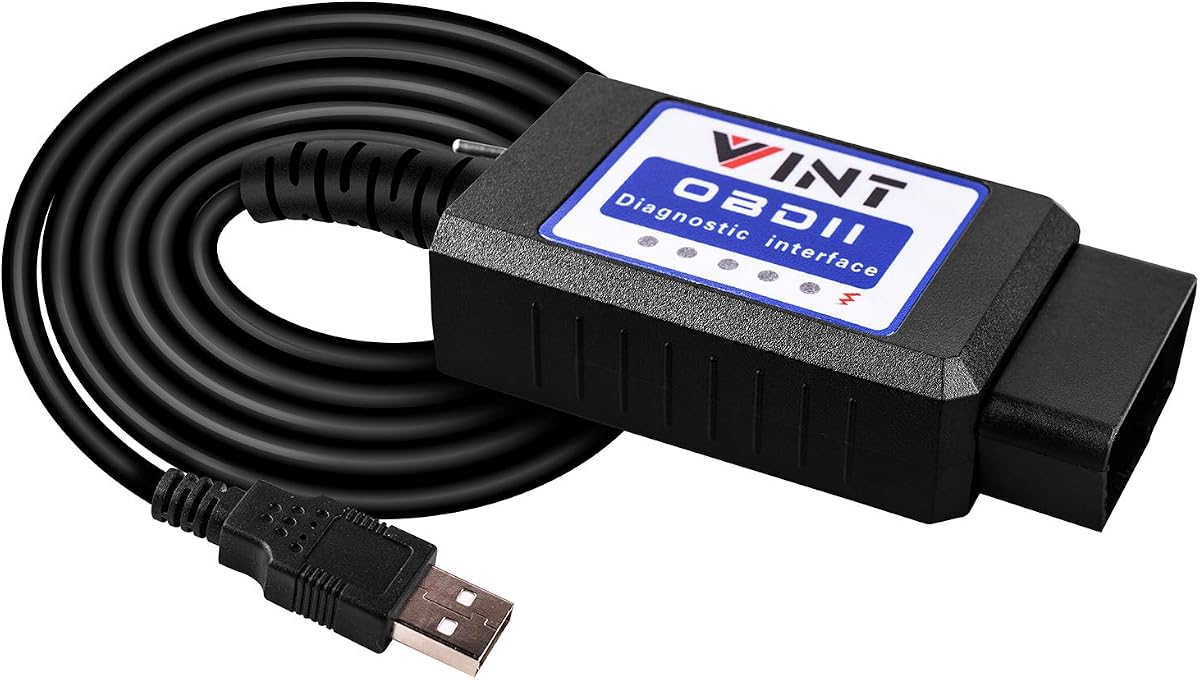
The Vgate vLinker FS USB OBD2 adapter is a top choice for FORScan users. With a 4.7 rating and optimized stability it delivers reliable performance during extended diagnostics.
We may earn a commission when you buy through this link, at no additional cost to you.
It supports HS-CAN and MS-CAN with automatic switching and allows up to 3 Mbps data transfer. This ensures no lag or crashes when reading codes or programming ECUs.
While it works well for diagnostics programming features require care and correct software setup. Mac users may need a Windows environment to run FORScan with this adapter.
Ideal for Ford Mazda and Lincoln owners wanting professional-level diagnostics at a reasonable price this adapter balances performance and ease of use effectively.
The adapter is tuned for FORScan software ensuring no lag and no crashes during extended diagnostic sessions or ECU programming tasks.
Supporting up to 3 Mbps and full 4095-byte packets this adapter enables complete DTC retrieval and stable live data streaming.
We may earn a commission when you buy through this link, at no additional cost to you.
The OBDLink EX is a premium adapter designed specifically for FORScan users. With a 4.7 rating it offers dealership-level diagnostics and advanced features unmatched by cheaper adapters.
We may earn a commission when you buy through this link, at no additional cost to you.
Its electronic switch allows simultaneous access to all CAN buses which enables advanced functions not possible with toggle switches. Throughput is up to 20 times faster than standard adapters.
The higher price may be a barrier for casual users but professionals gain significant efficiency and reliability. This adapter is ideal when speed and access are top priorities.
If you need the best performance and advanced capabilities for Ford and Mazda vehicles this adapter is worth the investment for serious diagnostics and programming.
With up to 20 times faster throughput than toggle switch adapters this device reduces wait times during large data transfers and live streaming.
The electronic switch allows FORScan to access all CAN buses simultaneously enabling advanced features that toggle switches cannot provide.
We may earn a commission when you buy through this link, at no additional cost to you.
The OHP FORScan ELM327 adapter is a solid budget-friendly option for Ford owners. With a 4.3 rating it provides accurate diagnostics without breaking the bank.
We may earn a commission when you buy through this link, at no additional cost to you.
It supports connection speeds up to 500 kbit/s and works with FORScan software to read and clear codes. This is ideal for basic maintenance and troubleshooting.
Users should note it works only on Windows systems and may require manual driver installation for best compatibility. Mac users will need a workaround to use it.
For DIY enthusiasts looking to save on repair bills this adapter offers reliable functionality for common Ford and Mazda diagnostic needs.
You can read interpret and clear Diagnostic Trouble Codes from engine transmission and ABS systems to identify root causes confidently.
Designed specifically for Ford light pickup trucks and related brands this adapter supports a wide range of models from 1996 onward.
We may earn a commission when you buy through this link, at no additional cost to you.
The VGATE vLinker FS USB is built specifically for FORScan users. With a 4.6 rating it offers fast stable configuration and programming with automatic CAN bus switching.
We may earn a commission when you buy through this link, at no additional cost to you.
Its battery saver technology ensures low idle current preventing drain when plugged in. The 3 Mbps rate and high baud rate enable smooth real-time data and graphics.
Users should be aware that software must be downloaded separately and some latest Mazda models may not be supported. Otherwise it covers most Ford and Lincoln vehicles well.
For those wanting a reliable and feature-rich tool for Ford and Lincoln diagnostics this adapter provides excellent value and stable performance over time.
Auto sleep wake and protection modes prevent battery drain allowing the adapter to stay plugged in safely without damaging the car battery.
Supporting FEPS 18V programming voltage it allows for smoother graphics and real-time meters during extended diagnostics and programming sessions.
We may earn a commission when you buy through this link, at no additional cost to you.
This ELM327 USB adapter offers a budget-friendly entry point for Ford Lincoln and Mercury owners. With a 4.4 rating it delivers stability far exceeding wireless connections.
We may earn a commission when you buy through this link, at no additional cost to you.
It includes toggle switches for MS-CAN and HS-CAN enabling quick access to hidden features and modules. This tool supports common OBD protocols and works with ELMconfig.
Note that driver installation is required before use and it is not compatible with mobile devices or macOS. Users must set up the software on a Windows PC first.
For DIY enthusiasts looking to unlock hidden functions without spending much this adapter provides good reliability and broad protocol support for older and newer Ford models.
Unlock features like global windows Bambi mode and trailer brake controller easily using the toggle switches and compatible software on Windows.
Supporting J1850PWM HS-CAN and MS-CAN protocols this adapter works as a standard OBDII reader for most supported Ford and Lincoln models.
We may earn a commission when you buy through this link, at no additional cost to you.
This Elm327 USB adapter is designed for Ford and Lincoln owners. With a 4.0 rating it provides solid diagnostics for F150 F250 and many Mazda models.
We may earn a commission when you buy through this link, at no additional cost to you.
It supports both MS and HS CAN with a toggle switch and works with Forscan software. This allows access to hidden features and basic diagnostics for many trucks.
Users should note that 2019+ Mazda models like the Mazda 3 and CX-30 are not supported yet. Software setup is also required before use on Windows systems.
For owners of older Ford trucks and sedans this adapter offers an affordable way to run diagnostics and unlock hidden features without expensive tools.
Compatible with 99 percent of models after 2000 and around 92 percent after 1996 this tool covers most Ford and Lincoln vehicles.
Access features like Bambi Mod reverse tilt mirrors and tire size correction to personalize your vehicle driving experience.
We may earn a commission when you buy through this link, at no additional cost to you.
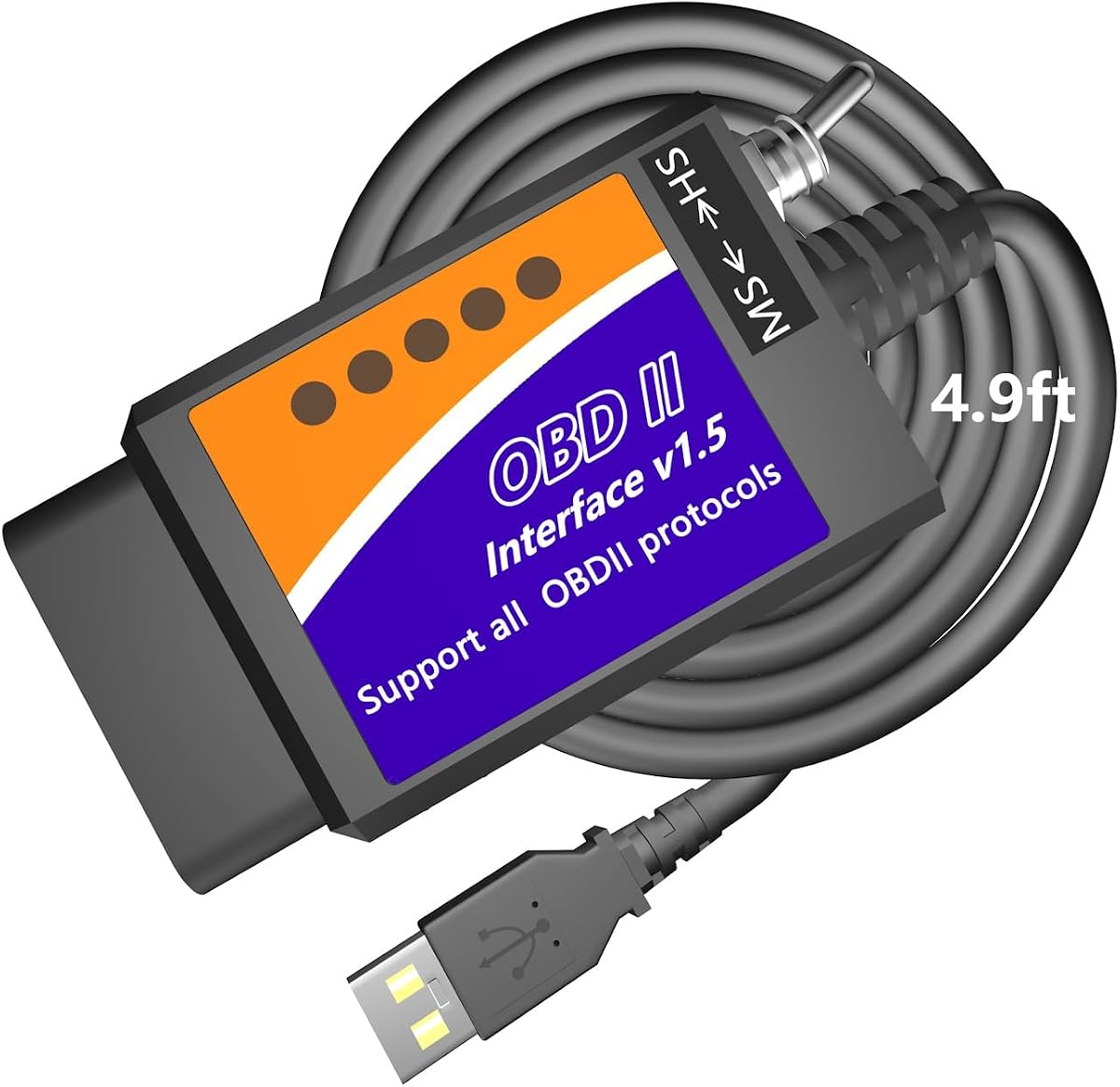
The MOCATEC USB OBD adapter stands out with its extra-long 4.9ft cable. With a 4.3 rating it allows comfortable diagnostics without feeling trapped near the port.
We may earn a commission when you buy through this link, at no additional cost to you.
It includes a toggle switch for HS-CAN and MS-CAN and works with FORScan on Windows PCs. This lets you access and customize hidden factory configurations easily.
While it covers most Ford and Mazda models up to 2025 some new models have limited support. Mac users will need Boot Camp or a Windows environment to run software.
If you value comfort and need to reach passenger seats easily this adapter is a practical choice for personalizing and diagnosing your Ford or Mazda vehicle.
The 4.9ft cable lets you rest your laptop on your knees without feeling cramped and easily reaches the passenger seat for monitoring.
Unlock secret features like digital speedometer readouts and custom Sync menus with this OBD adapter designed for FORScan users.
We may earn a commission when you buy through this link, at no additional cost to you.
The AntiBreak elm 327 adapter uses an FTDI chip for reliable connections. With a 4.3 rating it avoids data corruption and dropped packets during diagnostics.
We may earn a commission when you buy through this link, at no additional cost to you.
It supports speeds up to 500 kbit/s and works with FORS-can and Elmconfig on Windows systems. This is great for accessing ECU data and modifying hidden settings.
Users must install drivers before use and should note macOS is not supported directly. Otherwise it covers most Ford and Mazda models effectively and affordably.
If you want a stable and reliable adapter for programming and diagnostics this option provides strong hardware and broad software compatibility for Ford owners.
The FTDI chip and USB cable connection avoid data corruption and dropped packets ensuring reliable diagnostic performance.
With up to 500 kbit/s this adapter enables fast operation for professional-grade engine fault light programming and coding.
We may earn a commission when you buy through this link, at no additional cost to you.
The Vgate vLinker FS USB is designed for FORS-can users. With a 4.8 rating it offers automatic electronic switching and rock-solid USB connections.
We may earn a commission when you buy through this link, at no additional cost to you.
It reaches 3 Mbps transmission rate and supports FEPS 18V programming voltage. This ensures efficient configuration and programming without manual CAN toggling.
Users should note software must be downloaded separately and macOS is not supported. Otherwise it provides smooth graphics and real-time meter stability for Ford and Mazda vehicles.
For users seeking automatic switching and fast performance this adapter delivers high efficiency and reliability for extended diagnostic sessions and hidden feature access.
Allows FORS-can to access all CAN buses at the same time for seamless multi-module access without manual intervention.
Reach 3 Mbps transmission rate and 3 MHz baud rate for smoother graphics and real-time meters during diagnostics.
We may earn a commission when you buy through this link, at no additional cost to you.
This OBD2 Adapter is a favorite among Ford owners. With a 4.5 rating it is flawless in scanning and hiding modules for F150 F250 and light pickup trucks.
We may earn a commission when you buy through this link, at no additional cost to you.
The MS-CAN and HS-CAN toggle switch helps access and configure as-built data easily. It also supports hidden features like Bambi Mod and reverse tilt mirrors.
It runs at 500kbit/s and requires Windows systems and driver updates. Mac users will need Boot Camp or another solution to run FORS-can with this adapter.
For Ford truck owners seeking a reliable scan tool and code reader this adapter offers great value and broad functionality for diagnostics and customization.
Discover endless mods like Bambi Mod reverse tilt mirrors and tire size correction using FORscans and other supported software.
ELM327 USB code reader retrieves generic and manufacturer-specific DTCs helping you overcome any troubleshooting with ease.
We may earn a commission when you buy through this link, at no additional cost to you.
Choosing the right adapter depends on your vehicle software and budget needs. This guide breaks down key factors to consider before buying.
Most adapters work with FORScan but confirm your specific model supports the required features and protocols. Some tools also support ELMconfig and FoCCCus for broader functionality.
Choose an adapter explicitly recommended by the software team to ensure full feature access and stable performance during diagnostics.
All listed adapters require a Windows PC. macOS users will need Boot Camp or a virtual machine. Check system requirements before buying to avoid compatibility issues.
Ensure your computer can support the required drivers and software updates for uninterrupted diagnostic work.
Ford vehicles use HS-CAN and MS-CAN buses. Automatic switching adapters simplify setup while toggle switch models require manual changes. Decide based on your workflow.
Electronic switching offers faster data and prevents accidental wrong-network transmission compared to manual toggling.
Faster adapters support up to 3 Mbps while others cap at 500 kbit/s. Higher speeds reduce wait times and improve real-time data stability.
If you plan on live streaming or programming look for higher speed ratings for smoother performance.
Verify coverage for your specific model year and region. Most cover 1996 onward but some exclude newer Mazda platforms or European-spec vehicles.
Check the product description for supported brands and models to ensure it matches your car.
Some adapters include sleep modes and voltage protection to prevent battery drain. This is useful if you leave the adapter plugged in for long periods.
Prioritize models with low idle current if you plan extended sessions or overnight use.
Longer cables offer more flexibility when connecting to laptops. Standard lengths vary so consider ergonomic needs if working in tight spaces.
Opt for adapters with extra cable to avoid restricted movement during diagnostics.
Price ranges vary from budget-friendly to premium options. Higher-cost adapters often offer faster throughput and advanced features. Choose based on your needs.
Balance features with cost to get reliable performance without overspending.
Install the required USB drivers and diagnostic software on your Windows PC before connecting the adapter. Follow the manufacturer's instructions for proper driver installation.
Plug the adapter into your vehicle's OBD2 port usually found near the driver's side dashboard. Launch the software and connect to the adapter via COM port.
Keep the adapter dry and avoid exposing it to extreme heat or moisture. Store it safely when not in use to prevent physical damage or cable wear.
No all listed adapters require a Windows PC. If you use macOS you need Boot Camp or a virtual machine running Windows. Verify system compatibility before purchase.
The Vgate vLinker FS and OBDLink EX are top picks recommended by the FORScan team. They offer optimized stability and advanced features for reliable diagnostics.
No driver installation is required for most adapters before use. You must install the correct USB drivers and FORScan software before connecting to your vehicle.
Yes most adapters support Ford F150 F250 and F350 models. Confirm model year compatibility as newer vehicles may have limited support depending on the adapter.
HS-CAN handles high-speed functions like engine and transmission while MS-CAN manages body functions like locks and mirrors. Both are needed for full vehicle access.
Basic use is free but some advanced features require an Extended License. You can purchase this separately from the FORScan developers to unlock full capabilities.
The Vgate vLinker FS and OBDLink EX stand out for performance and reliability. Both deliver excellent FORScan support with fast speeds and stable connections.
For budget buyers the ELM327 USB adapter offers affordable access to hidden features. It is ideal for DIYers looking to save on professional diagnostic costs.
Always check current pricing and compatibility before buying to ensure the adapter meets your specific vehicle and software requirements today.