
ASUS Vivobook Go 15.6
4.3Editor score
AMD Ryzen 3 Processor
Military Grade Durability
Fast Charging Support
Finding a lightweight ASUS laptop means balancing portability with power for students and professionals. These devices offer slim designs without sacrificing essential performance for daily tasks. You need reliable battery life and durable build quality to handle travel demands effectively.
We compared ten top models based on processor speed, memory capacity, and display quality. Each entry features verified specifications and user ratings to ensure accurate recommendations. Our analysis focuses on real-world usability for work, study, and entertainment needs.
Every pick highlights unique strengths like OLED screens or long battery endurance for on-the-go use. Prices fluctuate often so check current listings before making your final purchase decision. Use this guide to find the exact fit for your specific workflow requirements today.
4.3Editor score

4.8Editor score
3.7Editor score
As an Amazon Associate we earn from qualifying purchases.
This table provides a side-by-side look at all ten models including screen size, processor type, and storage options to help you compare features quickly.





This ASUS Vivobook 14 leads our list with a high rating and advanced Snapdragon X processor. It offers modern Copilot+ PC capabilities ideal for productivity and AI tasks today.
We may earn a commission when you buy through this link, at no additional cost to you.
The 16GB RAM ensures smooth multitasking while the 512GB SSD provides fast storage access for files and apps. Users appreciate the crisp FHD+ screen for clear visuals.
Some older software might not run perfectly on the new ARM-based architecture yet. However the performance gains and battery efficiency make this a strong choice for most.
Students and professionals seeking a lightweight powerhouse should consider this model. It balances premium features with a reasonable price point for advanced computing needs.
The Snapdragon X processor enables Copilot+ features like Recall and Live Captions for better workflow.
Slim profile makes it easy to carry in a backpack without adding extra weight to your load.
We may earn a commission when you buy through this link, at no additional cost to you.
This model offers exceptional value with essential performance for daily tasks. The AMD Ryzen 3 processor handles browsing and light work efficiently. Users praise its durability for on-the-go use.
We may earn a commission when you buy through this link, at no additional cost to you.
The 8GB DDR5 RAM allows smooth multitasking while the military grade build protects against bumps. Fast charging helps you get back to work quickly during busy days.
Storage space is limited at 128GB so cloud or external drives are recommended. The display is adequate but lacks brightness for outdoor viewing or detailed graphics work.
Budget conscious students or casual users will find this laptop reliable. It provides key features without the high cost of premium models.
Military grade certification means the chassis withstands shocks and temperature changes during travel.
A physical webcam shield ensures your camera stays off when not in use for security.
We may earn a commission when you buy through this link, at no additional cost to you.
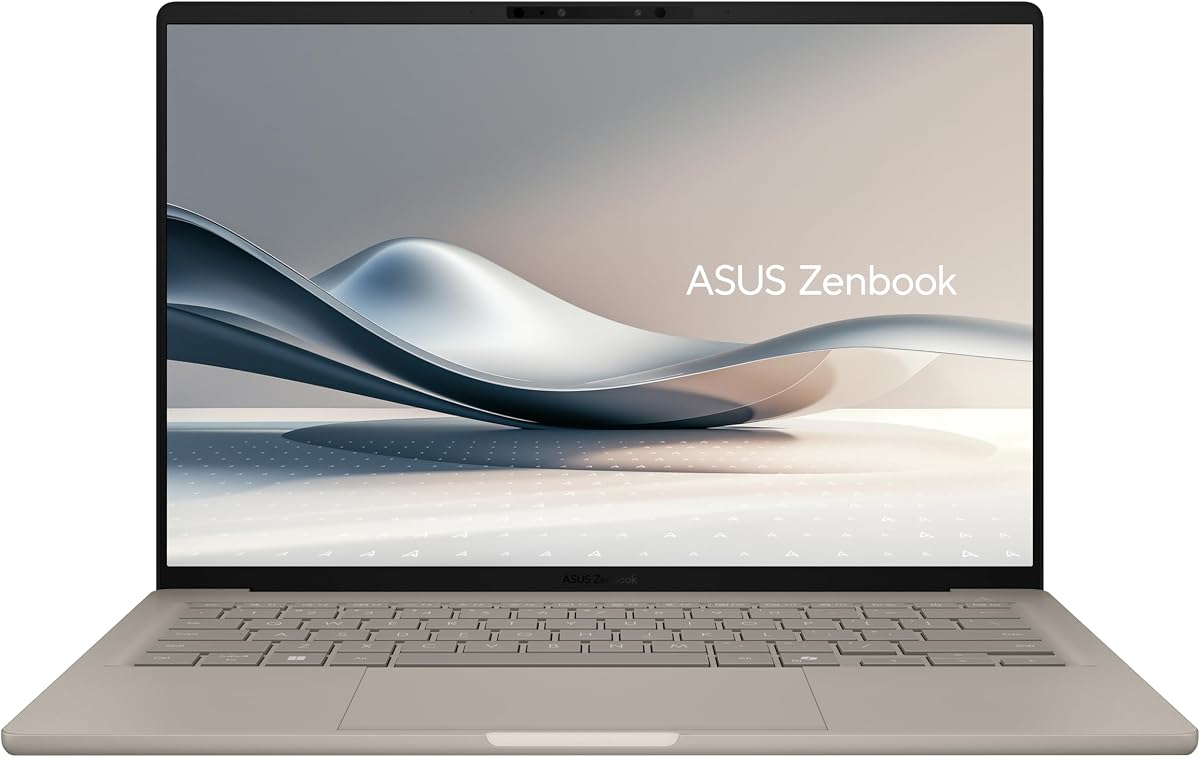
Weighing just 980g this Zenbook is incredibly light for its class. The OLED display offers vibrant colors ideal for media and design work. It supports Copilot+ features for modern workflows.
We may earn a commission when you buy through this link, at no additional cost to you.
The Ceraluminum material adds strength while keeping weight low. A massive 70Wh battery provides all day usage without needing a charger. Connectivity is excellent with Wi-Fi 6E.
Some early users report driver issues affecting the lower rating. The price is higher than standard models but you pay for unique materials and weight savings.
Designers and executives needing maximum portability will love this device. It stands out for its build quality and display performance over standard aluminum laptops.
Ceramic aluminum mix offers 3x strength and 30% weight savings over standard anodized aluminum.
WUXGA OLED panel delivers deep blacks and true colors for creative tasks and streaming.
We may earn a commission when you buy through this link, at no additional cost to you.
This Vivobook brings a 16 inch display to the lightweight category. Users gain extra screen real estate for multitasking without heavy bulk. The Snapdragon X processor ensures energy efficiency.
We may earn a commission when you buy through this link, at no additional cost to you.
The Adreno GPU provides decent graphical performance for light editing. Storage and RAM specs match the premium tier for smooth daily work. Build quality feels solid for travel.
The larger screen increases dimensions slightly compared to 14 or 15 models. It may not fit into very small bags but remains portable for most users.
Professionals needing a bigger workspace on the go will appreciate this. It balances screen size and weight better than most 16 inch laptops available today.
16:10 aspect ratio gives more vertical space for documents and web browsing.
Sliced architecture GPU improves visuals while optimizing power consumption efficiently.
We may earn a commission when you buy through this link, at no additional cost to you.
This model targets basic needs with a budget friendly price. It handles web browsing and word processing for students. The design emphasizes portability for carrying to class.
We may earn a commission when you buy through this link, at no additional cost to you.
Battery life is strong with fast charge support. A privacy shutter on the camera adds security for video calls. The keyboard includes a numeric keypad for data entry.
Performance lags with only 4GB RAM and a Celeron processor. Heavy multitasking or media editing may struggle. Storage is also limited for large files.
Perfect for kids or basic home use where speed is not critical. It meets essential requirements for writing and browsing without high costs.
Ideal for writing essays and attending online classes without complex software.
Lightweight frame fits easily in school backpacks for daily transport.
We may earn a commission when you buy through this link, at no additional cost to you.
This Vivobook uses the reliable Intel i3 processor for stability. The 16GB RAM ensures smooth performance for heavy browser tabs. It runs Windows 11 Home with standard features.
We may earn a commission when you buy through this link, at no additional cost to you.
The SSD provides fast boot times and file access. Wi-Fi 6 offers strong connectivity for modern networks. The IPS display delivers good viewing angles.
It lacks the OLED or Snapdragon features of newer models. The display is standard HD rather than higher resolution which may affect clarity for some.
Users preferring Intel architecture over Snapdragon will find this solid. It is a safe choice for business or home with ample memory.
Intel Core i3 delivers consistent speed for standard office applications and web browsing.
16GB RAM allows running multiple apps at once without slowdowns.
We may earn a commission when you buy through this link, at no additional cost to you.
This model brings Copilot+ capabilities to a compact 14 inch form. It supports AI features like live captions and recall for better workflows. Performance is tuned for efficiency.
We may earn a commission when you buy through this link, at no additional cost to you.
Storage and memory match high standards for daily work. The display resolution is sharp for text and images. Build quality remains consistent with ASUS standards.
Reviews show some variance with new Windows ARM experiences. Some apps may require compatibility checks before purchase. Otherwise performance is generally praised.
Tech savvy users wanting AI tools will enjoy this device. It is well suited for mobile professionals needing modern features in a small package.
Includes Recall and Live Captions to help with productivity and accessibility tasks.
Multi-day battery life helps you work unplugged during busy travel.
We may earn a commission when you buy through this link, at no additional cost to you.
This 2026 edition features the latest Intel 13th Gen processor. It delivers strong performance for everyday tasks and light workloads. The 16GB RAM helps with smooth multitasking.
We may earn a commission when you buy through this link, at no additional cost to you.
The PCIe SSD ensures quick boot and file access. Wi-Fi 6E offers fast connectivity for modern networks. The design is thin and light for transport.
Storage is limited to 256GB which may need external drives later. Battery life depends on usage but generally fits a work day.
Professionals needing up to-date Intel tech will like this model. It balances speed and portability effectively for standard office tasks.
Up to 4.5GHz turbo speed handles demanding apps smoothly.
Wi-Fi 6E ensures fast wireless speeds in crowded networks.
We may earn a commission when you buy through this link, at no additional cost to you.
This Vivobook Go offers solid battery life up to 11 hours. It provides decent storage at 256GB for files. The numeric keypad helps with data entry tasks.
We may earn a commission when you buy through this link, at no additional cost to you.
Military grade durability protects the unit from shocks. Fast charging gets you back to work quickly. The webcam shield adds security for calls.
The screen is standard HD which is fine for basic use. RAM is not upgradeable so 8GB is the limit for multitasking.
It works well for students or home office use needing endurance. A reliable choice for daily tasks without complex requirements.
Efficient battery minimizes downtime during travel or meetings.
Passes high temperature and shock tests for tough conditions.
We may earn a commission when you buy through this link, at no additional cost to you.
This Zenbook is the lightest 14 inch Copilot+ laptop available. It offers an OLED screen for vibrant visuals. The Ceraluminum body looks unique and durable.
We may earn a commission when you buy through this link, at no additional cost to you.
Battery life claims reach 32 hours for video playback. Performance is tailored for AI and multitasking needs. It stands out for its elegant design.
Early reviews suggest some software driver issues to watch. The price is higher than standard models but reflects the premium build.
Executives and creatives prioritizing weight and screen will choose this. It represents the future of portable premium computing with unique materials.
Weighs just 980g for the lightest carry in its class.
Natural ceramic aluminum texture resists smudges and looks elegant.
We may earn a commission when you buy through this link, at no additional cost to you.
Selecting a lightweight ASUS laptop requires balancing portability with performance needs for your workflow.
AMD Ryzen and Intel Core chips suit general work while Snapdragon X models offer AI features. Check compatibility with your apps before buying ARM chips.
Choose Intel or AMD for broad support and Snapdragon for efficiency and AI.
At least 8GB RAM is needed for modern multitasking but 16GB ensures smoothness. DDR5 memory in newer models boosts speed significantly over DDR4.
Aim for 16GB if you keep many apps open to avoid lag.
SSDs are standard and PCIe NVMe drives load files fast. Aim for 512GB to store documents and media without external drives.
Higher capacity means less time managing files on the go.
OLED screens deliver deep blacks for media while IPS panels are reliable. Brightness over 250 nits helps for indoor work and light outdoor use.
Prioritize OLED if you value color accuracy and contrast for viewing.
Look for batteries offering 8 hours or more to work unplugged. Larger capacities like 70Wh help endurance but may add slight weight.
Long battery life is key for travelers who need to work during transit.
Military grade certifications protect against shocks during travel. Materials like Ceraluminum add strength without increasing weight significantly.
Durable builds extend the lifespan when moving the device often.
Ensure USB-C and HDMI ports fit your peripherals and monitors. Wi-Fi 6E support ensures fast wireless connections in modern environments.
More versatile ports reduce the need for extra dongles on your desk.
Models under 3 lbs are ideal for carrying in a daily backpack. Heavier units offer better cooling but reduce true portability.
Prioritize weight if you walk or commute with the laptop often.
Keep the laptop clean by wiping the screen with a microfiber cloth regularly to avoid smudges. Avoid using harsh chemicals that might damage the coating or display.
Store the device in a padded sleeve when carrying it to protect against scratches and accidental drops. This is especially important for ultra thin models with sensitive hinges.
Update drivers and BIOS regularly through the MyASUS app to ensure performance and security. These updates often improve battery life and fix known bugs.
Most common apps work well but some legacy software may struggle on ARM. Check compatibility lists or use Windows emulation features before buying.
Newer models offer 8 to 12 hours of mixed use. Actual time varies by screen brightness and app usage during the day.
Yes 8GB handles web and office work fine. However 16GB helps if you use many tabs and apps simultaneously.
Yes all listed models come with Windows 11 Home pre-installed. This ensures support for the latest features and updates.
Most ultrathin models have soldered RAM so upgrades are not possible. Check specs before buying to ensure you choose the right capacity.
Most range between 3 and 3.6 lbs with the Zenbook A14 lighter at 980g. This makes them easy to carry in standard backpacks.
The ASUS Vivobook 14 stands out for value and modern features with its Snapdragon X processor. It offers AI capabilities without sacrificing essential daily performance.
If budget is your main focus the Vivobook Go models provide reliable hardware at low costs. They meet basic needs for students and casual use effectively.
Remember to check current prices and availability as deals change often. Select the model that best matches your specific performance and portability requirements today.