
Alienware 34 Curved Gaming Monitor – AW3425DWM
4.6Editor score
180Hz refresh rate
WQHD resolution
1ms response time
Finding the right curved display enhances your gaming experience significantly. A good monitor offers sharp resolution, fast refresh rates, and vibrant colors. These features help you react faster and enjoy more immersive gameplay sessions.
We evaluated ten models based on panel technology, refresh rates, and connectivity options. Our analysis focuses on real-world performance and build quality to help you choose wisely. Each entry highlights key strengths and potential limitations for different needs.
Every product listing shows unique specifications and user ratings to guide your decision. Prices and availability fluctuate frequently so check current listings before purchasing. This overview helps you identify the best fit for your setup today.
4.6Editor score

4.3Editor score

4.5Editor score
As an Amazon Associate we earn from qualifying purchases.
The following table compares key specifications across all ten models to help you quickly identify the right fit for your gaming setup.





This model offers impressive performance at a competitive price point. It carries a solid 4.6 rating from users who appreciate its visual quality.
We may earn a commission when you buy through this link, at no additional cost to you.
The 180Hz refresh rate ensures smooth motion during fast-paced gaming. WQHD resolution provides sharp details across the expansive 34-inch panel.
While it lacks OLED technology, the LCD panel delivers vibrant colors with DCI-P3 coverage. The 1500R curve enhances immersion without feeling too extreme.
Gamers seeking value without sacrificing speed will find this monitor compelling. It balances cost and performance effectively for most setups.
The 180Hz refresh rate paired with 1ms response times minimizes motion blur effectively.
A 1500R curvature wraps visuals around your peripheral vision for deeper engagement.
We may earn a commission when you buy through this link, at no additional cost to you.
This premium monitor sets a new standard for speed and color fidelity. Its QD-OLED technology delivers unmatched visual quality for enthusiasts.
We may earn a commission when you buy through this link, at no additional cost to you.
With a 240Hz refresh rate and 0.03ms response time, motion is incredibly smooth. HDR TrueBlack 400 certification ensures deep blacks and bright highlights.
The 1800R curve enhances immersion while maintaining consistent focus across the screen. Color accuracy reaches 99.3% DCI-P3 for professional-grade visuals.
Players wanting the ultimate competitive edge will appreciate this investment. It justifies its cost with top-tier performance and cutting-edge panel technology.
0.03ms gray-to-gray response ensures virtually zero motion blur even in fast scenes.
QD-OLED technology offers infinite contrast and vibrant color gamuts simultaneously.
We may earn a commission when you buy through this link, at no additional cost to you.
This model remains a popular choice for high-end gamers seeking OLED visuals. It balances performance and price effectively while delivering stunning imagery.
We may earn a commission when you buy through this link, at no additional cost to you.
Quantum Dot OLED technology provides rich colors and perfect blacks. The 175Hz refresh rate ensures smooth gameplay across various titles.
G-SYNC Ultimate certification prevents tearing and stuttering seamlessly. The Legend 2.0 design offers elegant aesthetics with customizable lighting.
It serves as a versatile option for both gaming and creative work. Users appreciate its immersive curve and responsive performance across applications.
Delivers superior color gamut and contrast compared to traditional LCD panels.
Adjustable stand and ventilation system keep the unit cool during sessions.
We may earn a commission when you buy through this link, at no additional cost to you.
This monitor delivers reliable performance for mid-range gaming setups. It features strong color accuracy and smooth synchronization technologies.
We may earn a commission when you buy through this link, at no additional cost to you.
NVIDIA G-SYNC ensures tear-free visuals on compatible GPUs. The anti-glare coating reduces reflections for comfortable long sessions.
Color coverage reaches 98% DCI-P3 for vibrant imagery. The 120Hz rate is sufficient for most games though not top tier.
Those prioritizing image quality over speed will find it useful. It remains a solid choice for diverse visual experiences.
Syncs GPU output with refresh rate to eliminate screen tearing entirely.
Nearly covers the cinematic DCI-P3 color standard for rich visuals.
We may earn a commission when you buy through this link, at no additional cost to you.
This bundle includes essential accessories to streamline setup. It combines the popular AW3423DW panel with necessary connectivity options.
We may earn a commission when you buy through this link, at no additional cost to you.
QD-OLED technology provides immersive visuals with deep contrast. Creator Mode ensures accurate colors for design tasks.
Included cables reduce the need for extra purchases. This convenience adds value despite a higher total cost.
Buyers wanting a ready-to-use solution will appreciate this option. It merges performance with practical convenience effectively.
Supports native DCI-P3 and sRGB spaces for precise color work.
Cables and cleaning kit simplify setup and maintenance immediately.
We may earn a commission when you buy through this link, at no additional cost to you.
This bundle offers a complete set of connectivity accessories. It provides the same visual performance as standalone units.
We may earn a commission when you buy through this link, at no additional cost to you.
The QD-OLED panel delivers vivid imagery and deep blacks. High refresh rates ensure smooth motion for competitive titles.
Included cables and extenders facilitate easy setup. User feedback suggests varying experiences with packaging and setup.
Those wanting a full setup can benefit from this option. It combines high-end performance with convenient accessories.
175Hz support provides fluid visuals for modern gaming titles.
Stand allows tilt and swivel adjustments for optimal viewing.
We may earn a commission when you buy through this link, at no additional cost to you.
This model brings OLED performance at a competitive price point. It includes necessary cables for immediate setup.
We may earn a commission when you buy through this link, at no additional cost to you.
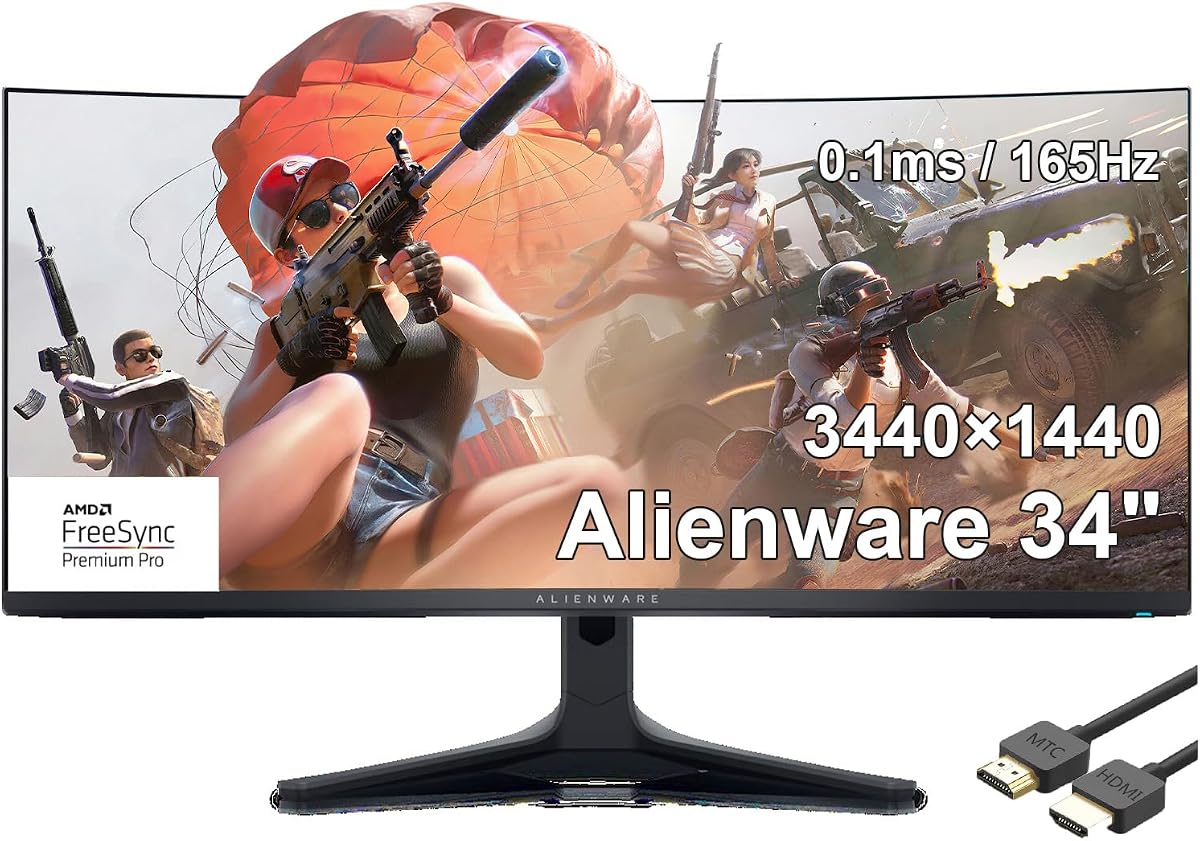
AMD FreeSync Premium Pro supports smooth variable refresh rates. The 165Hz rate covers most gaming needs effectively.
Users appreciate the color depth and contrast provided by the panel. The bundled cable adds practical value to the purchase.
It suits users seeking high performance without premium pricing. Visual fidelity remains a strong point for this option.
Ensures smooth gameplay across compatible AMD GPU configurations.
Delivers over a billion colors for nuanced and vibrant images.
We may earn a commission when you buy through this link, at no additional cost to you.
This monitor offers a compact 32-inch OLED panel with 4K resolution. It targets users who prioritize sharpness over speed.
We may earn a commission when you buy through this link, at no additional cost to you.
QD-OLED technology ensures deep blacks and vibrant colors. The resolution provides crisp text and detailed images.
It suits content creation and media consumption well. Gaming performance remains strong though refresh rates vary.
Those wanting high fidelity in a smaller size will find it useful. It balances clarity with modern panel technology effectively.
3840×2160 resolution delivers exceptional sharpness for text and images.
Infinite contrast ratio provides deep blacks and bright highlights.
We may earn a commission when you buy through this link, at no additional cost to you.
This model delivers exceptional speed for competitive gaming setups. It supports overclocking to 280Hz for ultimate smoothness.
We may earn a commission when you buy through this link, at no additional cost to you.
The IPS panel offers vibrant colors with fast response times. A built-in USB hub simplifies peripheral connections.
Included cables and cleaning kits provide convenience. The design focuses on performance and ergonomic adjustments.
Competitive gamers seeking maximum refresh rates will appreciate it. It balances speed with practical features effectively.
Up to 280Hz overclocking enables extremely fluid motion in games.
Four ports simplify connecting devices without needing external hubs.
We may earn a commission when you buy through this link, at no additional cost to you.
This model offers a larger viewing experience with strong HDR support. Its 1000R curve provides extreme immersion.
We may earn a commission when you buy through this link, at no additional cost to you.
180Hz refresh rates ensure smooth motion across titles. The wide aspect ratio enhances peripheral vision significantly.
While not branded Alienware, it competes on performance. Brightness and contrast metrics are impressive for the price.
Gamers wanting a massive display will find it compelling. It delivers a distinct visual experience with curved benefits.
1000R curvature wraps around your vision for total immersion.
DisplayHDR 600 offers brighter images and better contrast.
We may earn a commission when you buy through this link, at no additional cost to you.
Selecting the right monitor requires balancing panel type, refresh rate, and connectivity needs.
OLED and QD-OLED panels offer superior contrast and color accuracy. LCD panels are durable and often more affordable for budget setups.
Choose QD-OLED for visuals or LCD for brightness and value.
Higher refresh rates like 240Hz provide smoother motion for competitive titles. 144Hz to 165Hz is sufficient for most players.
Prioritize higher refresh rates for fast-paced multiplayer games.
Fast response times reduce ghosting and motion blur during action. Look for 1ms or less gray-to-gray specifications.
Lower response times improve clarity in dynamic scenes significantly.
Curved screens like 1500R or 1800R wrap visuals around your eyes. This enhances immersion compared to flat panels.
Select deeper curves for wider screens and immersive setups.
High DCI-P3 coverage ensures vibrant colors for media and games. Delta E values below 2 indicate professional color accuracy.
Check color gamut specs if content creation is a priority.
Ensure DisplayPort 21 or HDMI 2.1 support for high refresh rates. USB hubs simplify peripheral connections to your monitor.
Verify your GPU supports the required connection bandwidth.
TrueBlack 400 or HDR 600 certification enhances contrast in dark scenes. HDR improves realism in modern gaming titles.
Look for VESA HDR certification for reliable performance.
Height and tilt adjustments ensure comfortable viewing angles. VESA mounts provide flexibility if you use a desk arm.
Adjustability is key for long gaming sessions comfort.
Position the monitor at eye level to reduce neck strain during sessions. Use the OSD joystick to calibrate brightness and contrast for your room.
Clean the screen with a soft microfiber cloth to avoid scratches. Use liquid sparingly to protect the panel coatings.
Adjust refresh rate settings in your GPU control panel to match the monitor. Enable adaptive sync options to reduce tearing during gameplay.
The AW3425DW QD-OLED model features an ultra-fast 0.03ms response time. This ensures minimal ghosting during fast-paced competitive gaming.
Most models support both AMD FreeSync and NVIDIA G-SYNC technologies. Adaptive Sync ensures smooth visuals regardless of your GPU brand.
Yes, most 34-inch models support standard VESA mounting patterns. Check specific product details to confirm compatibility with your monitor arm.
QD-OLED combines quantum dots with OLED for higher brightness and color volume. It avoids the brightness limitations of traditional WOLED panels.
Most Alienware gaming monitors do not include built-in speakers. They rely on external audio via HDMI or headphone jacks.
Center your body with the screen center and tilt it slightly. A deep desk helps align your viewing angle with the curvature.
Bundles save time by including cables and cleaning kits. However, standalone units often offer better value if you have existing accessories.
Curvature generally does not impact color accuracy on OLED panels. It enhances immersion while maintaining consistent brightness across the screen.
Our top picks include the AW3425DWM for budget buyers and AW3425DW for premium performance. Each model delivers immersive visuals tailored to different gaming needs.
Consider your GPU capabilities and desk space before purchasing. High refresh rates require powerful hardware to deliver smooth motion effectively.
Prices change frequently so verify current listings before finalizing orders. Check reviews and specs again to ensure compatibility with your system.