
Acer KB220Q H2bi
4.6Editor score
100Hz Refresh Rate
Adaptive-Sync Support
Near Bezel-less Design
Finding the right display for your setup requires careful consideration of resolution refresh rate and connectivity options. HDMI LED monitors offer versatile performance for gaming work and entertainment making them a popular choice for modern desktops.
We evaluated ten leading models based on panel technology eye care features and connectivity. Each product was assessed for color accuracy response time and overall build quality to ensure reliable performance across various daily tasks.
Every pick includes detailed specs pros and cons to help you decide quickly. Prices and availability change frequently so verify current listings before purchasing to secure the best deal for your specific needs today.
4.6Editor score

4.6Editor score

4.6Editor score
As an Amazon Associate we earn from qualifying purchases.
This side-by-side comparison highlights key differences across resolution panel type and refresh rate to help you identify the ideal model for your specific workflow and visual preferences.


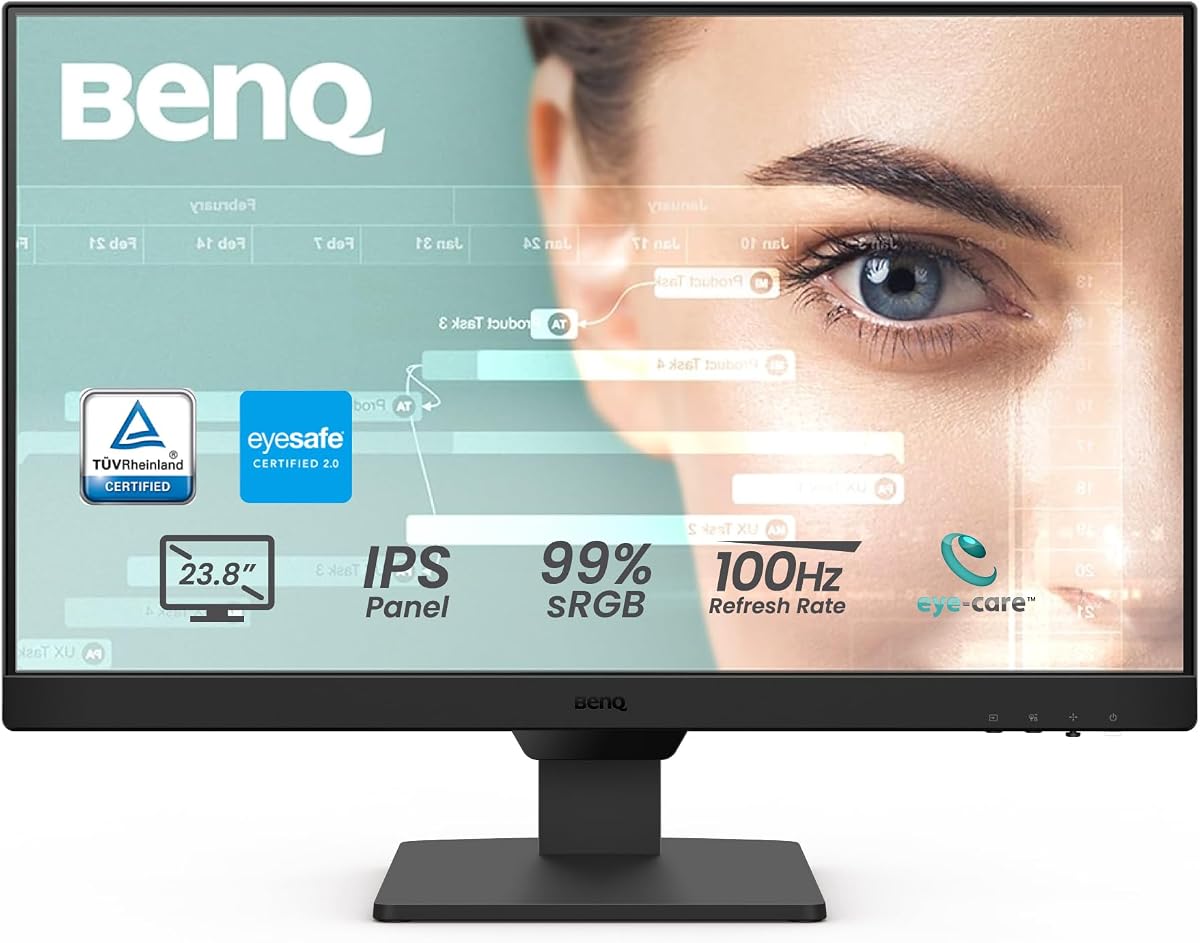


This monitor delivers exceptional visual quality with its IPS panel and HDR10 support making it a top contender for both work and play. It balances performance and design effectively offering a modern aesthetic that fits most desks.
We may earn a commission when you buy through this link, at no additional cost to you.
The 120Hz refresh rate and Motion Blur Reduction ensure fluid visuals during gaming or fast scrolling tasks. Color accuracy is strong due to the sRGB coverage ensuring images appear natural and consistent across media.
While the stand does not offer height adjustment the tilt mechanism is sufficient for most users. The lack of advanced speakers is a minor drawback given the primary focus on display performance.
Buyers seeking reliable color fidelity and smooth motion will find this model ideal. It suits creatives gamers and general office workers needing a dependable display with contemporary features.
The IPS panel ensures consistent colors across wide viewing angles ideal for photo editing and design work.
With 120Hz refresh and MBR technology fast moving content remains crisp without stutter or ghosting.
We may earn a commission when you buy through this link, at no additional cost to you.
This model offers impressive performance for its price with a 100Hz refresh rate and 1ms response time. It is designed to provide smooth visuals for office tasks and casual gaming without breaking the bank.
We may earn a commission when you buy through this link, at no additional cost to you.
Adaptive-Sync support ensures tear free playback during video or gaming sessions. The ZeroFrame design allows for seamless multi-monitor setups maximizing screen real estate effectively.
The stand provides only tilt adjustment which may not suit all users needing precise positioning. Build quality is adequate but lacks premium materials found in higher priced options.
Ideal for budget conscious buyers this monitor delivers value through speed and design. It works well for students and entry level professionals needing reliable daily performance.
The 100Hz refresh rate provides fluid scrolling and gameplay reducing strain during long sessions.
Near bezel-less frames allow for cleaner multi-monitor setups and a modern desktop look.
We may earn a commission when you buy through this link, at no additional cost to you.
This premium option stands out for its full ergonomic stand and high refresh rate making it versatile for long workdays. The Ash White finish adds a distinctive professional look to any workspace.
We may earn a commission when you buy through this link, at no additional cost to you.
With 144Hz refresh and 1ms response it handles motion smoothly for gaming and video. The dual 3W speakers provide adequate audio reducing the need for external peripherals.
The price reflects the build quality and adjustability features which justify the investment for power users. Connectivity is solid though it lacks advanced hubs found in some competitor models.
Professionals needing adjustability and performance will appreciate this model. It offers a complete package balancing sound visuals and comfort for demanding daily use.
Height tilt pivot and swivel adjustments allow precise positioning to reduce physical strain during work.
Dual 3W speakers deliver clear sound for calls and media without needing external devices.
We may earn a commission when you buy through this link, at no additional cost to you.
This monitor focuses on delivering vibrant visuals with strong sRGB coverage and a 100Hz refresh rate. It includes built-in speakers and multiple HDMI ports making it convenient for varied connectivity needs.
We may earn a commission when you buy through this link, at no additional cost to you.
The color performance is above average for the price range providing rich tones for media and work. Blue Light Shift technology helps reduce eye strain during long hours of use.
The stand offers only tilt adjustment which limits ergonomic flexibility for some users. Build materials are standard but functional for general office environments.
Ideal for users needing good colors and connectivity without high cost. It suits home offices and entertainment setups requiring simple and reliable display options.
The 99% sRGB coverage ensures rich accurate colors for photos and videos across media.
Two HDMI ports and VGA allow connecting multiple devices easily without extra adapters.
We may earn a commission when you buy through this link, at no additional cost to you.
This model combines high refresh speed with IPS technology for smooth visuals and accurate colors. It is certified for eye comfort reducing blue light without compromising image quality during daily tasks.
We may earn a commission when you buy through this link, at no additional cost to you.
The 144Hz refresh rate and AMD FreeSync support make it suitable for gaming and fast video playback. Thin bezels enhance the viewing experience by minimizing visual distractions around the screen.
While the stand is basic it tilts sufficiently for most desk setups. The TÜV certification adds peace of mind for those sensitive to light exposure.
Gaming enthusiasts and professionals seeking smooth motion will appreciate this balance. It offers solid performance in a sleek design suitable for modern workspaces.
The 144Hz rate ensures fluid visuals ideal for gaming or fast scrolling tasks.
TÜV 3-Star certification reduces harmful blue light while maintaining color quality.
We may earn a commission when you buy through this link, at no additional cost to you.
Using a VA panel this monitor offers deep blacks and high contrast making it great for media. The 100Hz refresh rate ensures smooth motion while EasyRead mode optimizes text for long reading sessions.
We may earn a commission when you buy through this link, at no additional cost to you.
The three-side bezelless design enhances the visual feel and allows easy multi-monitor setups. Flicker-free technology helps reduce eye strain during extended use across varied lighting conditions.
Viewing angles are narrower compared to IPS panels which might limit off-center visibility. Response times are adequate but may show slight ghosting in very fast action scenes.
Users prioritizing contrast and reading comfort will find this appealing. It suits streaming users and office workers needing deep blacks and text clarity.
VA panel technology delivers brighter whites and deeper blacks for immersive media viewing.
EasyRead mode provides a paper-like experience reducing strain during long document viewing.
We may earn a commission when you buy through this link, at no additional cost to you.
The 27-inch size provides a spacious workspace ideal for multitasking and media. It maintains strong color performance with 99% sRGB coverage and includes built-in speakers for convenience.
We may earn a commission when you buy through this link, at no additional cost to you.
Refresh rate and ports support smooth visuals and easy device switching. Blue Light Shift helps protect eyes during extended periods of work or entertainment.
The 1080p resolution on a larger screen may show less sharpness than higher resolutions. The stand offers tilt only limiting ergonomic customization for diverse desk setups.
Buyers wanting a large display without high cost will like this choice. It fits well in home offices and living rooms needing extra screen space.
A 27-inch screen offers more room for multitasking and immersive viewing experiences.
Blue Light Shift reduces harmful rays helping to lower eye fatigue during long sessions.
We may earn a commission when you buy through this link, at no additional cost to you.
This model emphasizes eye-care with adaptive brightness and low blue light filters. It uses IPS technology for good color consistency and includes VESA media sync for versatile device compatibility.
We may earn a commission when you buy through this link, at no additional cost to you.
The 100Hz refresh rate ensures smooth visuals for general computing and casual gaming. Thin bezels create a clean modern look that enhances multi-monitor setups effectively.
Adjustments are limited to tilt which may not suit all ergonomic needs. Build quality is solid but standard for the price range of general office displays.
Office workers prioritizing comfort and eye health will appreciate this choice. It balances performance and care features well for daily use environments.
Automatic brightness adjustment helps reduce strain by matching screen light to the room.
Certified compatibility ensures smooth performance when used with media players or consoles.
We may earn a commission when you buy through this link, at no additional cost to you.
This monitor focuses on ergonomics with height tilt swivel and pivot adjustments. The contrast ratio is strong offering clear images and a professional look suitable for business environments.
We may earn a commission when you buy through this link, at no additional cost to you.
It provides a sturdy and reliable display for daily office tasks without excessive features. The build quality and adjustment range help reduce physical strain over long work periods.
Refresh rates are standard which may limit gaming performance compared to newer models. The price reflects the ergonomic build rather than advanced speed or HDR features.
Business users needing comfort and stability will find this ideal. It suits workstations where adjustability and reliability are more important than high-speed performance.
Full stand adjustments allow precise positioning to maintain a healthy viewing posture.
Built for office environments this monitor offers stable performance and solid build quality.
We may earn a commission when you buy through this link, at no additional cost to you.
A simple reliable monitor with anti-glare coating to reduce reflections in bright rooms. It supports 100Hz refresh rate and DisplayPort for versatile connections across multiple devices.
We may earn a commission when you buy through this link, at no additional cost to you.
Brightness is balanced for indoor use and the design is clean and unobtrusive. Performance is steady making it suitable for general office and home tasks without surprises.
Adjustability is minimal with tilt only which may limit ergonomic comfort for some. Features are basic but sufficient for users needing a straightforward display solution.
Users prioritizing simplicity and reflection control will appreciate this option. It fits well in bright rooms where glare reduction is a primary concern.
Anti-glare coating helps reduce reflections ensuring clear visibility in well lit rooms.
Supports both HDMI and DisplayPort offering flexibility for various PC and console setups.
We may earn a commission when you buy through this link, at no additional cost to you.
Choosing the right monitor involves understanding how panel type refresh rate and ergonomic features impact your daily workflow and comfort.
IPS panels provide accurate colors and wide viewing angles ideal for creatives and general office work. VA panels offer better contrast and deeper blacks which enhance media consumption. TN panels are fast but lack color accuracy and viewing range.
Higher refresh rates like 120Hz or 144Hz ensure smoother motion for gaming and video playback. Standard 60Hz to 100Hz works well for office tasks and basic media. Matching your GPU output to refresh rate minimizes screen tearing.
Lower response times such as 1ms reduce motion blur and ghosting during fast-paced action. Standard 5ms is acceptable for general office and document work. Faster response helps keep text and images sharp during scrolling.
Stands with height tilt swivel and pivot adjustments help maintain healthy posture. Tilt only stands limit positioning flexibility especially for users with unique desk setups. Adjustable stands reduce neck and eye strain significantly.
Multiple HDMI ports allow connecting consoles and PCs simultaneously. DisplayPort support is valuable for higher bandwidth and refresh rates. USB hubs simplify peripheral connections reducing desk clutter and cable complexity.
Low blue light and flicker-free certifications reduce strain during long working hours. Adaptive brightness adjusts screen luminance based on ambient lighting conditions. These features protect eye health without compromising image quality.
Full HD resolution is standard for 24 to 27 inch monitors providing sharp text and detail. Larger screens need higher resolution to avoid pixelation. Size selection depends on desk depth and viewing distance.
Bezelless designs improve aesthetics and allow seamless multi-monitor setups. Sturdy materials ensure stability and reduce the risk of accidental tipping. Design also affects cable management options and overall workspace cleanliness.
Connect your device using an HDMI cable and select the correct input source in the on-screen menu. Adjust brightness and color settings to match ambient lighting conditions for optimal comfort and accuracy.
Use the stand adjustments to align the screen center with eye level reducing neck strain. Enable any built-in eye care features like blue light filters if you work for long periods daily.
Keep the screen clean using a soft microfiber cloth and avoid harsh chemicals. Ensure proper ventilation around the monitor to prevent overheating and extend overall device lifespan.
Refresh rate measures how many times the screen updates per second while response time indicates how quickly pixels change color. A higher refresh rate reduces motion blur and a faster response time prevents ghosting in fast action scenes.
IPS panels offer wider viewing angles and better color accuracy which suit multitasking and design tasks. VA panels have higher contrast but narrower viewing angles making IPS generally preferable for shared office spaces.
Enable low blue light modes and ensure brightness matches room lighting. Adjust monitor height to eye level and take regular breaks using the 20-20-20 rule to relax eye muscles during extended sessions.
Most models listed support VESA mounting which allows secure wall or arm installation. Check the specific product details for compatible hole patterns such as 75x75mm or 100x100mm before buying brackets.
Some models include built-in speakers for basic audio needs but quality varies. For high-fidelity sound or gaming use external speakers or headphones connected via the headphone jack.
Full HD is standard for 27 inch displays but higher resolutions like 1440p provide sharper text. For detailed work or media consumption higher pixel density helps avoid visible pixelation and improve clarity.
This roundup highlights top models balancing refresh rate color accuracy and ergonomic design. Whether prioritizing speed color or comfort there is a suitable option for every workflow and budget.
Consider your primary use case whether gaming office work or media to narrow down panel type and stand features. Matching specs to your daily needs ensures long-term satisfaction and productivity.
Prices and availability change frequently so check current listings before finalizing your purchase. Verifying features against your requirements helps secure the right display at the best value today.