
Tablet Android 7 inch,32GB ROM
Low Power Quad-core Processor
HD IPS Screen with 1024×600 Resolution
GMS Certified for App Downloads
Finding an affordable tablet that delivers solid performance without breaking the bank can be challenging in today's market. This guide highlights the best cheap WiFi tablets available in November 2026, focusing on models that offer great value for money while meeting everyday computing needs like streaming, browsing, and light productivity tasks.
We evaluated each product based on critical factors including processor speed, display resolution, battery capacity, storage options, and software support. Our analysis ensures you receive a comprehensive overview of what makes each tablet stand out. By comparing specifications and user feedback, we aim to help you make an informed decision that aligns with your specific usage scenarios and budget constraints.
Each entry in this list showcases key features, pros and cons, and detailed insights into real-world performance. Note that pricing and availability can fluctuate frequently due to market conditions and seasonal promotions. Always verify the current offer before purchasing to ensure you get the best deal possible for the device that best fits your requirements.

5.0Editor score

4.5Editor score
As an Amazon Associate we earn from qualifying purchases.
This side-by-side comparison outlines the core specifications and key strengths of every tablet featured in this guide to help you quickly identify which model aligns with your specific needs and preferences.




The Jeazans Tablet stands out as the top pick in our lineup of cheap WiFi tablets for November 2026. It boasts an impressive 5.0 rating from users and delivers a smooth experience thanks to its cutting-edge software and robust hardware configuration.
We may earn a commission when you buy through this link, at no additional cost to you.
This device runs on the Android 16 system which ensures compatibility with the latest apps and security updates. With 20GB of RAM and support for up to 1TB of expandable storage, it handles multitasking and media storage effortlessly. The inclusion of Widevine L1 certification means you can stream high-definition content from popular services like Netflix and Prime Video without issues.
While the tablet is slightly heavier than some competitors at 490 grams, this is a minor trade-off for the battery capacity and screen size it offers. The 6000mAh battery provides a solid 6 hours of continuous usage which is suitable for daily commutes or casual home entertainment sessions.
If you are looking for a reliable tablet that balances performance and affordability this is an excellent choice. It is ideal for students professionals and families who need a device for browsing streaming and light productivity tasks without overspending.
The inclusion of Wi-Fi 6 and Bluetooth 5.4 ensures fast internet speeds and seamless pairing with accessories like headphones and keyboards for a premium user experience.
Face unlock technology adds a layer of convenience and security making it easy to access your device quickly while protecting your personal data and accounts.
We may earn a commission when you buy through this link, at no additional cost to you.
The Evermyth Android 16 Tablet offers a compelling mix of features for users seeking a powerful budget device. Its virtual RAM expansion technology allows for smoother multitasking which is rare in this price range. With a 5-core processor and high-speed connectivity it delivers a responsive experience for most daily tasks.
We may earn a commission when you buy through this link, at no additional cost to you.
The 10-inch HD IPS display provides vibrant visuals ideal for watching videos or reading digital content. The inclusion of low-blue-light technology helps reduce eye strain during prolonged use sessions making it a comfortable choice for students or readers who spend hours on the screen daily.
However the physical RAM is limited to 3GB which might cause some slowdowns when running heavy applications simultaneously. Users should manage their open apps carefully to maintain optimal performance. The battery life is decent at 8 hours of mixed usage but may fall short for intensive gaming sessions.
This tablet is recommended for general consumers who prioritize display quality and storage flexibility. It is suitable for those who need a secondary device for web browsing video calls and media consumption without needing high-end gaming capabilities or professional productivity tools.
The low-power CPU combined with a 6000mAh battery provides up to 3 days of standby time ensuring you stay connected even when not actively using the device for extended periods.
Bluetooth 5.4 and Wi-Fi 6 support ensure stable connections to modern peripherals and networks allowing for faster data transfers and better smart home integration capabilities.
We may earn a commission when you buy through this link, at no additional cost to you.
The Amazon Fire HD 10 stands out as the premium option in our list offering a refined user experience with its Full HD display and robust build quality. It excels in entertainment scenarios providing a cinematic viewing experience for streaming services and a long battery life that supports all-day usage without interruption.
We may earn a commission when you buy through this link, at no additional cost to you.
Powered by an octa-core processor and 4GB of RAM this tablet handles media consumption and casual gaming with ease. The integration of Alexa allows for hands-free control which enhances convenience for smart home management and quick information access without needing to touch the screen constantly for tasks.
One limitation is the reliance on the Amazon App Store which lacks some native Google apps unless sideloaded. This might be a hurdle for users deeply invested in the Google ecosystem who expect native access to Gmail or Google Photos without workaround steps or additional setup procedures.
Despite this the Fire HD 10 is an excellent choice for families and avid media consumers. It is highly recommended for those who want a reliable entertainment device with parental controls and strong durability features ensuring it lasts through regular daily use and travel scenarios.
Amazon Kids provides comprehensive parental controls allowing parents to set screen time limits and filter content ensuring a safe digital environment for children using the tablet.
With Alexa built-in the tablet doubles as a smart home controller enabling voice commands to manage lights locks and thermostats making it a central hub for home automation.
We may earn a commission when you buy through this link, at no additional cost to you.
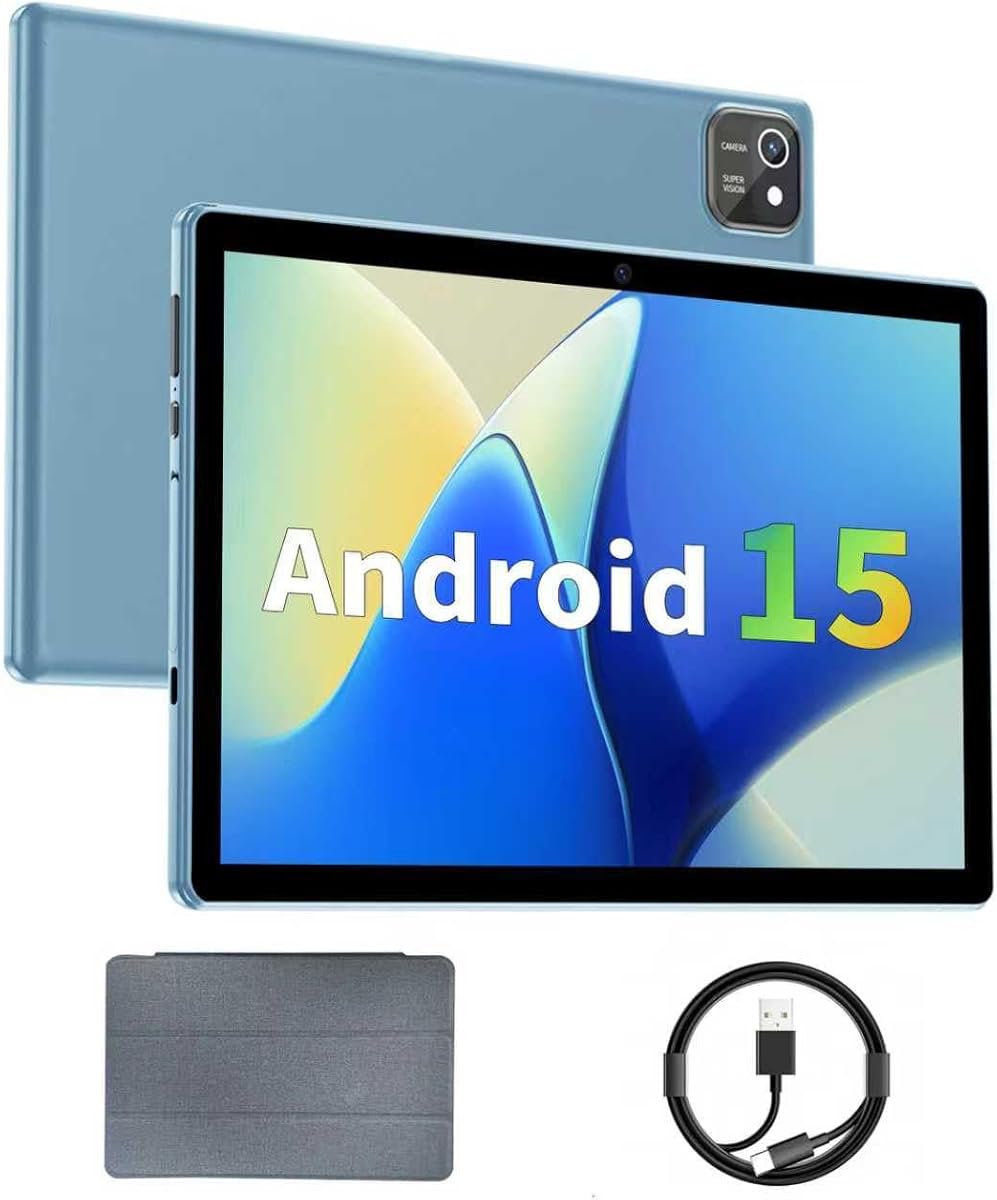
The COOPERS Tablet 10 inch is a practical choice for users seeking a reliable device with up-to-date software features. Running Android 15 it ensures access to the latest security patches and app updates. Its quad-core processor handles basic tasks efficiently making it a great daily driver for browsing and streaming.
We may earn a commission when you buy through this link, at no additional cost to you.
The large 10-inch display offers a comfortable viewing area for reading and watching videos. With 32GB of internal storage and the ability to expand up to 1TB it provides ample space for media files and applications. The inclusion of dual speakers and a headphone jack supports diverse audio preferences.
However the Bluetooth 4.2 version may limit compatibility with newer peripherals like high-quality wireless earbuds or controllers. Users who prioritize the latest connectivity standards might find this slightly outdated compared to models offering Bluetooth 5.0 or higher which offer better range and stability.
This tablet is ideal for budget-conscious buyers who need a straightforward device for everyday use. It fits well for students or elderly users who value simplicity and large screen real estate over high-end gaming performance or advanced connectivity features.
The 6000mAh battery supports 8 to 10 hours of mixed use allowing you to go through a full day of reading and watching without needing to plug into a power source constantly.
With a 2MP front and 8MP rear camera this tablet is capable of clear video calls and decent photo capturing making it useful for remote learning and quick documentation tasks.
We may earn a commission when you buy through this link, at no additional cost to you.
The Tablet Android 7 inch offers an ultra-affordable entry point into the world of tablets for those with basic needs. Its compact 7-inch form factor makes it incredibly portable for travel or on-the-go reading. With GMS certification users have access to the full range of Google Play Store apps.
We may earn a commission when you buy through this link, at no additional cost to you.
The 7-inch HD IPS screen delivers decent visuals for its size making it suitable for reading e-books or browsing social media. The low-power quad-core processor ensures it runs smoothly for lightweight tasks. It is a great secondary device for quick check-ins without carrying a heavier smartphone or laptop.
However the 2GB of RAM limits multitasking capabilities significantly. Users may experience lag if too many apps are open simultaneously. This makes it less suitable for intensive gaming or heavy productivity tasks where multiple applications need to run in the background concurrently.
This device is perfect for casual readers or as a dedicated travel companion. It is recommended for users who want a simple low-maintenance device for entertainment and basic browsing without investing in more expensive hardware features.
Its lightweight design allows you to carry it in a small bag or even a large pocket making it an ideal companion for travel daily commutes or casual reading sessions.
With GMS certification you can download essential apps like Gmail YouTube and Maps directly from the Play Store ensuring a familiar and functional software experience right out of the box.
We may earn a commission when you buy through this link, at no additional cost to you.
The aiprotablet Tablet offers a strong balance of performance and battery capacity making it a reliable choice for daily use. Its 6000mAh battery ensures extended usage times which is beneficial for travelers or those without easy access to power outlets. The Android 15 system provides a modern interface and app support.
We may earn a commission when you buy through this link, at no additional cost to you.
With 12GB of RAM this tablet handles multitasking better than many competitors in its price range. The 64GB internal storage plus expandable support up to 1TB allows you to store plenty of media. The low blue light screen is also a thoughtful addition for reading or long viewing sessions.
The Bluetooth 5.0 standard is functional but not the latest available on the market. While it works well for most audio accessories it might lack some advanced features found in newer versions like lower latency or better multipoint connectivity options for complex setups.
This tablet is recommended for users who prioritize battery life and storage space. It is ideal for students or professionals who need a device for notes and media consumption throughout the day without worrying about frequent recharging or running out of storage space.
The high capacity battery provides up to 5 days of standby time ensuring you can use the device for multiple days without needing to charge it frequently during light usage periods.
Support for microSD cards up to 1TB gives you the freedom to download movies and games without worrying about internal storage limitations keeping your experience smooth and uninterrupted.
We may earn a commission when you buy through this link, at no additional cost to you.
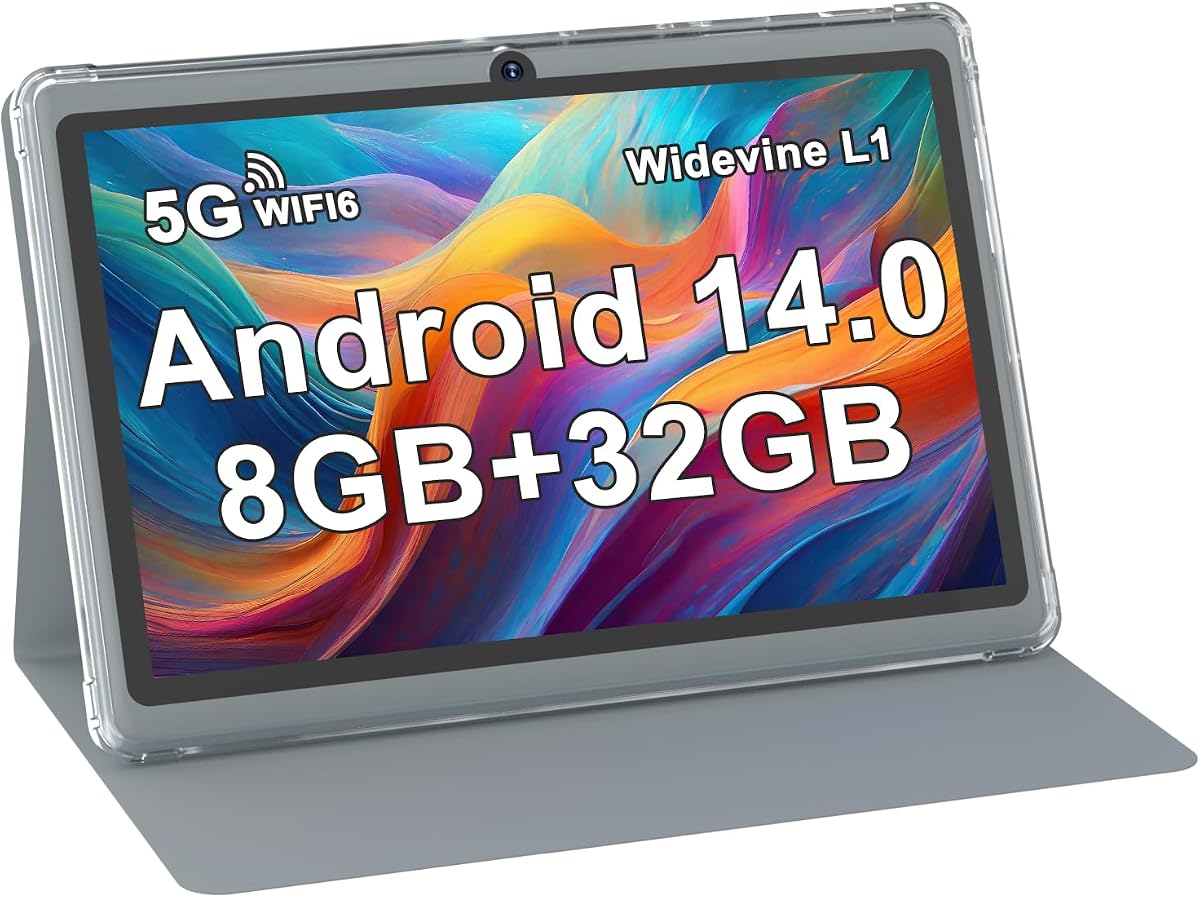
The Tablet with Case 7 inch is a convenient option that comes ready to use out of the box with a protective case included. This adds value and immediate protection against drops and scratches. The 7-inch display is bright and clear for streaming videos or reading on the go.
We may earn a commission when you buy through this link, at no additional cost to you.
It features Wi-Fi 6 support which ensures fast and stable internet connectivity even in crowded networks. The 32GB of internal storage combined with microSD expansion up to 1TB provides flexibility for storing apps and media files. The dual camera setup is suitable for video calls and basic photo needs.
The battery capacity is modest at 3000mAh which may require frequent charging during heavy usage. This could be a drawback for users who need all-day power without access to a charger. It is best suited for shorter sessions or light browsing activities where power is available.
This tablet is recommended for those who want a portable device with built-in protection. It is ideal for students or kids who need a compact screen for learning and entertainment without the hassle of buying a separate case for added protection.
The included premium protective case offers enhanced durability against drops and scratches making it a convenient and cost-effective choice for users who want immediate device safety.
Support for Wi-Fi 6 ensures faster download speeds and lower latency making it a reliable choice for online gaming and high-definition streaming without frequent buffering issues.
We may earn a commission when you buy through this link, at no additional cost to you.
The Android 15 Tablet 10.1 Inch is designed to deliver strong performance at a budget price. Its octa-core processor and 12GB RAM allow it to handle multitasking and gaming better than many low-cost alternatives. The lightweight design makes it comfortable to hold for long periods without fatigue.
We may earn a commission when you buy through this link, at no additional cost to you.
The 10.1-inch display offers a vibrant viewing experience for media consumption. With 64GB of internal storage you have enough room for essential apps and media. The inclusion of Android 15 ensures you benefit from the latest system features and security improvements.
While the hardware is impressive the brand reputation may be less established than major players. This could impact software support longevity or customer service quality. Users should consider the warranty terms carefully before purchasing to ensure peace of mind.
This tablet is recommended for tech-savvy users who want high specs without high costs. It is ideal for those who need a secondary device for productivity or gaming and prioritize raw performance over brand recognition or extended support periods.
Weighing just 15 ounces this tablet is ultra-portable and easy to carry in a backpack making it a great choice for students and travelers who value mobility.
The optimized power management of Android 15 combined with a 6000mAh battery ensures that you get the most out of every charge during daily usage tasks.
We may earn a commission when you buy through this link, at no additional cost to you.
The Samsung Galaxy Tab A11 WiFi offers a premium display experience with its 90Hz refresh rate and high resolution screen. This ensures smooth scrolling and crisp visuals for watching videos or reading digital content. Samsung's reputation for build quality adds value to this affordable option.
We may earn a commission when you buy through this link, at no additional cost to you.
Running on Android 15 with One UI 7 it provides a polished interface and access to Samsung's ecosystem features. The 64GB storage is expandable up to 2TB allowing for significant media storage. The inclusion of Wi-Fi 6 ensures fast internet speeds for streaming and browsing tasks.
The lack of a SIM card slot means it is strictly a WiFi device limiting connectivity options for those who need cellular data on the go. Also the charger is not included which may add to the initial cost of setting up the device for first-time use immediately.
This tablet is recommended for media enthusiasts who value screen quality. It is ideal for users who want a reliable device for streaming and reading without needing cellular data and are willing to buy a charger separately for full setup functionality.
The 90Hz refresh rate provides smoother scrolling and animations compared to standard 60Hz screens enhancing the overall user experience for interactive apps and video playback.
As part of the Samsung family this tablet integrates well with other Samsung devices and offers consistent software updates and support over time.
We may earn a commission when you buy through this link, at no additional cost to you.
The HOTTABLET Tablet 7Inch is designed to be a safe and affordable option for family use. It includes a protective case that helps prevent damage from accidental drops. The eye-caring display technology makes it safer for children to use for extended periods without excessive eye strain.
We may earn a commission when you buy through this link, at no additional cost to you.
With 32GB of storage and expandable memory it can hold plenty of educational apps and games. The dual-band WiFi ensures stable connectivity for video calls and streaming. It is a versatile device for kids to learn and parents to manage daily tasks.
The battery life is average which might not last a full day of heavy use without charging. This can be a limitation if the device is used for long commutes or travel. However for home use it is generally sufficient for short and medium sessions.
This tablet is recommended for parents looking for a first tablet for their children. It offers a secure and durable option with essential features for learning and entertainment without the high cost of premium models.
The included protective case and eye-care screen make it a safe choice for young users ensuring durability and comfort during daily learning or entertainment use.
Dual-band WiFi support ensures stable internet access for streaming educational content or video calls without frequent buffering issues even in busy home networks.
We may earn a commission when you buy through this link, at no additional cost to you.
Selecting the right cheap WiFi tablet involves weighing several key factors to ensure you get a device that meets your needs without overspending on features you do not need.
Most affordable tablets run on Android which offers flexibility and access to the Google Play Store. Ensure the device supports a recent version like Android 14 or 16 for security and app compatibility.
Check for GMS certification to confirm you can download and run official apps like Gmail and Maps without extra setup steps or workarounds.
A good screen is essential for media consumption. Look for IPS panels with at least 1280×800 resolution to ensure vibrant colors and clear text for reading and watching videos comfortably.
Consider display size and resolution balance. Larger screens offer better immersion but may reduce portability depending on how you plan to use the device daily.
The processor determines how smoothly the tablet handles tasks. Quad-core processors are standard for budget devices and should suffice for basic browsing and streaming.
RAM affects multitasking performance. Aim for at least 4GB of physical or expanded RAM to avoid lag when switching between multiple applications or having many tabs open.
Internal storage limits how many apps and media files you can keep on the device. Look for at least 32GB of internal storage to start with for a comfortable experience.
Expandable storage via microSD is a valuable feature. It allows you to add more space for movies and photos later without needing to buy a larger internal storage model initially.
Battery capacity is measured in mAh with higher numbers indicating longer runtimes. Look for batteries around 6000mAh for all-day usage on a single charge.
Consider charging speed and support for USB-C ports. Fast charging capabilities reduce downtime allowing you to quickly top up the device when needed.
Wi-Fi 6 support ensures faster internet speeds and better stability in crowded networks which is useful for streaming and video calls.
Bluetooth version affects accessory pairing. Newer versions like 5.0 or 5.4 offer better range and connection stability for headphones and smart devices.
Durability is key for long-term use. Look for devices with solid frames and glass fronts that can withstand daily handling and occasional drops.
Consider whether the tablet comes with a protective case. This saves extra cost and provides immediate protection against scratches and minor impacts.
Features like GPS facial unlock or dual cameras add convenience for navigation and video calls. Assess if these features align with your daily needs and usage scenarios.
Check for warranty and support options. A reliable seller or brand offering technical support can be crucial if you encounter issues after purchase.
Start by charging the device fully before first use. Update the operating system and all pre-installed apps to ensure you have the latest security patches and performance improvements for a smooth experience.
Use a protective case to prevent physical damage. Avoid exposing the tablet to extreme heat or cold as these conditions can degrade battery performance and screen quality over time with regular use.
Manage storage by regularly deleting unused apps and files. Clear browser cache and temporary files periodically to maintain optimal speed and prevent slowdowns during daily browsing and streaming tasks.
Yes most of these tablets can function offline for activities like reading downloaded books watching saved videos or using offline apps. However you will need Wi-Fi for initial setup and updates unless you use a different method to transfer data.
Budget tablets are best suited for casual games like puzzles or simple strategy titles. For high-end gaming with heavy graphics you may experience lag or lower frame rates due to limited processor power and RAM compared to dedicated gaming devices.
Most models include a USB-C cable but some international versions like the Samsung Galaxy Tab A11 may not include the wall adapter. Check the product description carefully to confirm what accessories are provided with the device before purchasing.
Yes but you should check for Widevine L1 certification to ensure HD streaming. Some models like the Jeazans Tablet support this while others might only allow standard definition streaming on supported apps without the certification.
Most tablets have a microSD card slot allowing you to expand storage up to 1TB or 2TB depending on the model. Simply insert a compatible card and format it as internal or portable storage using the system settings menu.
Yes you can use a USB-C cable to connect the tablet to a computer and transfer files manually. Alternatively you can use cloud storage services like Google Drive to access files across multiple devices without physical connections.
With proper care a budget tablet can last 2 to 3 years for basic tasks. Software support and hardware durability vary by model so choosing a device with a decent warranty and regular updates can extend its usable life significantly.
Yes these tablets support apps like Google Docs and Zoom which are useful for school assignments and remote learning. They are excellent for note-taking and research provided you have a compatible keyboard or stylus for efficient typing.
Our top picks for November 2026 showcase a range of options from the feature-rich Jeazans Tablet to the compact and affordable 7-inch models. Each device offers a unique blend of performance and value tailored to different user needs.
When choosing a cheap WiFi tablet prioritize factors like display quality and battery life that align with your daily routine. Consider whether you need high-end performance or a simple device for browsing and media consumption.
Remember that pricing and availability change frequently so verify current deals before purchasing. We hope this guide helps you find a reliable and affordable device that enhances your digital experience without straining your budget.