
acer SB240Y G0bi
4.6Editor score
Zero-frame edge to edge design
120Hz refresh rate support
1ms VRB response time
Edge to edge monitors offer immersive visuals with minimal bezels, perfect for productivity and gaming. These displays maximize screen real estate while maintaining a sleek, modern aesthetic that enhances any workspace or entertainment center setup effectively.
We compared ten top models based on resolution, refresh rates, panel technology, and connectivity options. Our analysis highlights how each monitor balances performance with comfort, ensuring you find the right fit for your specific workflow and budget needs today.
Each pick showcases unique strengths tailored to different user requirements from budget-friendly options to premium OLED experiences. Note that prices fluctuate frequently so verify current costs before purchasing to ensure you get the best value for your investment soon.
4.6Editor score

4.5Editor score

4.3Editor score
As an Amazon Associate we earn from qualifying purchases.
This side-by-side comparison highlights the key specifications and features of all ten selected monitors to help you quickly identify which model best aligns with your specific visual and performance requirements for work or gaming environments.





The Z-Edge 49 inch Ultrawide delivers a stunning panoramic experience with its 32:9 aspect ratio. Rated 4.5 stars it stands out for blending productivity with high-performance gaming capabilities seamlessly.
We may earn a commission when you buy through this link, at no additional cost to you.
Its Dual QHD resolution provides the equivalent of two QHD monitors side by side without bezel interruptions. The 165Hz refresh rate ensures smooth motion for both video editing and fast-paced gaming sessions effectively.
While the price is higher than standard monitors the productivity gains justify the investment. The KVM switch allows control of two devices with one keyboard and mouse reducing desk clutter efficiently.
This monitor is ideal for professionals needing large workspace and gamers seeking immersion. Its combination of resolution speed and connectivity makes it a top choice for versatile edge to edge setups today.
The 49-inch curved screen wraps around your field of view enhancing focus and reducing eye strain during long sessions.
Built-in tools like Crosshair and Shadow Balance give competitive players an edge in FPS and MOBA titles significantly.
We may earn a commission when you buy through this link, at no additional cost to you.
The Acer SB240Y G0bi offers exceptional value with its zero-frame edge to edge design. Rated 4.6 stars it is perfect for users needing a sleek monitor without breaking the bank for entry level setups.
We may earn a commission when you buy through this link, at no additional cost to you.
Its 120Hz refresh rate and 1ms VRB response time ensure smooth visuals for casual gaming and everyday tasks. The IPS panel maintains consistent colors from various angles making it versatile for shared workspaces.
Though it lacks 4K resolution the Full HD clarity is sufficient for most office and entertainment needs. The minimalist design fits easily on smaller desks where space is at a premium currently.
This monitor is recommended for students budget-conscious professionals or secondary screen setups. Its reliable performance and attractive design make it a smart choice for affordable edge to edge displays now.
Despite the budget price the panel delivers sharp text and vibrant colors suitable for web browsing and media consumption daily.
The ultra-slim bezels maximize screen real estate allowing you to fit a large viewing area into a small footprint easily.
We may earn a commission when you buy through this link, at no additional cost to you.
The LG 45GX950A-B sets a new standard with its world's first 5K2K OLED resolution. Rated 4.3 stars it delivers unmatched clarity and color accuracy for both creative work and next-gen gaming experiences.
We may earn a commission when you buy through this link, at no additional cost to you.
With 165Hz refresh rate and 0.03ms response time motion is incredibly fluid and responsive. The dual-mode feature lets you switch to 330Hz for competitive titles offering versatile performance for different genres.
While the cost is significant the visual fidelity is incomparable to traditional panels. The 1300 nits peak brightness and deep blacks create an immersive cinematic experience for HDR content users.
This monitor is best for enthusiasts and professionals demanding top-tier visuals. Its advanced connectivity and gaming features justify the premium price for those seeking ultimate edge to edge immersion today.
The OLED technology provides perfect blacks and infinite contrast ensuring every detail pops with vivid realism on screen.
DisplayPort 2.1 ensures you are ready for future GPUs and consoles with support for high bandwidth and refresh rates.
We may earn a commission when you buy through this link, at no additional cost to you.
The Samsung 57" Odyssey Neo G9 offers a massive display equivalent to two UHD monitors side by side. Rated 4.3 stars it provides an unmatched field of view for simulation and immersive gaming experiences.
We may earn a commission when you buy through this link, at no additional cost to you.
Its 1000R curvature wraps around the viewer for a truly enveloping effect. The Quantum Matrix Technology with mini LEDs ensures precise local dimming and exceptional contrast for HDR content playback.
While it needs a large desk and powerful PC the visual impact is worth it for enthusiasts. The 240Hz refresh rate keeps motion smooth even with such a high-resolution canvas for fast action.
This monitor is ideal for home theater setups and serious gamers. Its size and technology make it a statement piece that redefines edge to edge display capabilities for luxury setups today.
With DUHD resolution you get pin-sharp images across the entire width allowing for detailed maps and multi-window workflows.
The aggressive curve matches human eye curvature reducing distortion and drawing your focus directly to the center of the screen.
We may earn a commission when you buy through this link, at no additional cost to you.
The Dell 34 Monitor S3425DW focuses on user comfort with advanced eye care features. Rated 4.4 stars it is perfect for professionals working long hours who prioritize health and viewing comfort daily.
We may earn a commission when you buy through this link, at no additional cost to you.
Its improved ComfortView Plus reduces blue light emissions without sacrificing color accuracy. The VA panel delivers deep blacks and vibrant colors ideal for media consumption and creative work environments.
The 65W power delivery over USB-C simplifies cable management for laptops. Integrated audio has been upgraded for better output making it a strong all-in-one solution for minimal desk setups.
This monitor is best for office workers and casual users. It balances performance and comfort effectively ensuring a pleasant visual experience without the premium price of high-end gaming screens now.
Reduced blue light emissions help prevent eye strain and fatigue allowing you to work longer with greater comfort and clarity.
A single USB-C cable handles video data and power keeping your workspace organized and free from unnecessary cables or adapters.
We may earn a commission when you buy through this link, at no additional cost to you.
The Sceptre Curved 34-inch offers high refresh rate performance at a very competitive price. Rated 4.4 stars it delivers buttery-smooth visuals for gamers who want speed without investing in premium brands.
We may earn a commission when you buy through this link, at no additional cost to you.
Its 240Hz refresh rate and 1ms response time minimize lag and blur for fast-paced titles. The 100% sRGB coverage ensures colors are accurate enough for casual creative work and media viewing.
While build quality is basic the performance for the price is impressive. Multiple HDMI and DisplayPort inputs provide flexibility for connecting consoles and PCs simultaneously with ease.
This monitor is recommended for budget gamers. It provides the core features needed for competitive edge to edge gaming while keeping costs low for entry-level setups today.
The high refresh rate reduces motion blur significantly allowing you to track fast-moving targets and reactions clearly during play.
Multiple input ports let you switch between different devices quickly without unplugging cables which simplifies your gaming setup.
We may earn a commission when you buy through this link, at no additional cost to you.
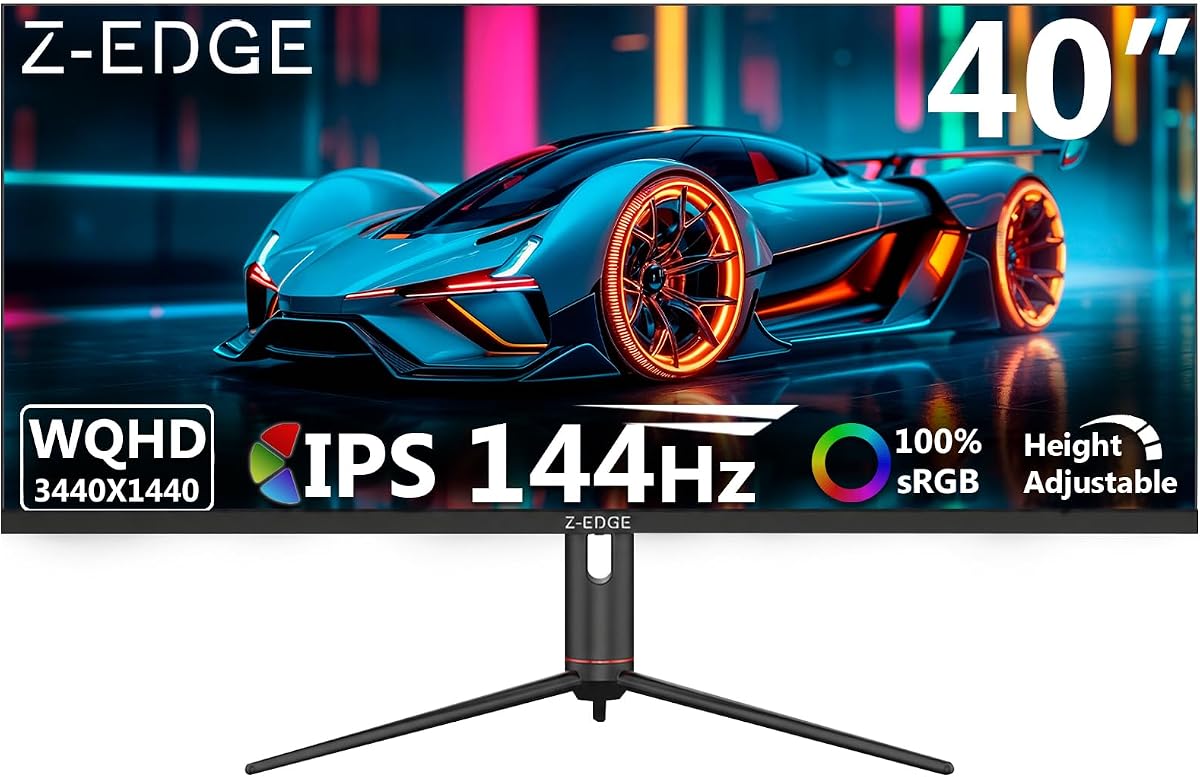
The Z-Edge 40 inch Ultrawide combines IPS quality with versatile multitasking tools. Rated 4.5 stars it suits users who need consistent colors and efficient workflows across multiple applications daily.
We may earn a commission when you buy through this link, at no additional cost to you.
Its 21:9 aspect ratio provides extra horizontal space for spreadsheets and timelines. The PIP and PBP modes allow simultaneous display of different input sources for seamless device switching on one screen.
The adjustable stand supports various viewing angles to reduce physical strain during long hours. USB-C connectivity ensures simple setup for compatible laptops and devices with minimal cable clutter.
This monitor is perfect for home office and content creation work. It balances color accuracy and productivity features to enhance efficiency and comfort in professional edge to edge setups now.
The IPS panel delivers uniform brightness and color accuracy across the screen essential for design work and accurate color grading tasks.
Split-screen features allow you to monitor chats while editing video or coding streamlining your daily tasks effectively.
We may earn a commission when you buy through this link, at no additional cost to you.
The Dell UltraSharp U4924DW is designed for professional workflows with reliable performance and clarity. Rated 4.2 stars it offers a wide workspace ideal for multitasking and document management efficiently.
We may earn a commission when you buy through this link, at no additional cost to you.
Its USB-C connectivity allows data transfer and display output through one connection. The edge WLED backlight ensures a smooth and consistent display across the screen for critical text readability.
While not built for fast gaming the monitor excels at business applications. The ergonomic design and reliability reduce downtime and maintain productivity throughout long work sessions effectively.
This monitor is recommended for corporate and office environments. It provides stable visuals and connectivity needed for professionals requiring a robust and durable edge to edge setup.
The DQHD resolution provides ample space to organize multiple windows side by side without needing multiple physical monitors.
Dell's reputation for stability ensures consistent performance which is vital for business operations and critical tasks.
We may earn a commission when you buy through this link, at no additional cost to you.
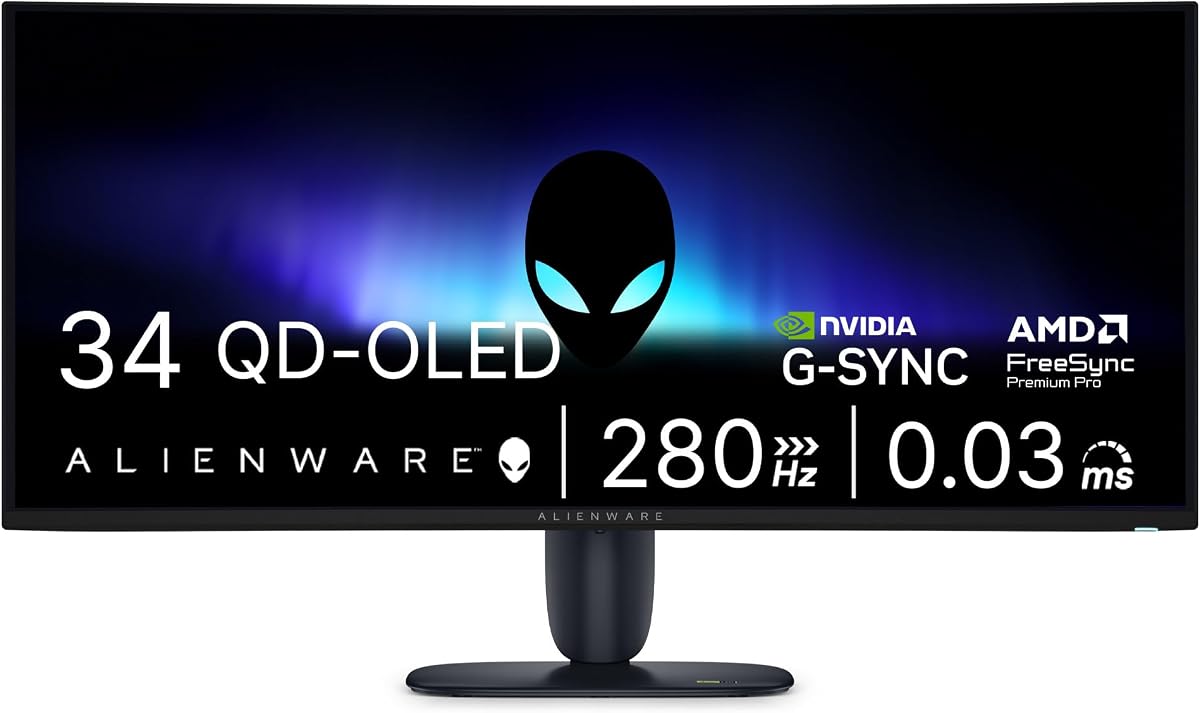
The Alienware 34 Gaming Monitor delivers elite speed with its QD-OLED panel. Rated 4.2 stars it offers incredible color vibrancy and response times for competitive gaming and immersive entertainment.
We may earn a commission when you buy through this link, at no additional cost to you.
Its 280Hz refresh rate and 0.03ms response time eliminate blur and lag completely. G-SYNC support ensures tear-free visuals across all types of games making it ideal for esports and sim racing.
While burn-in risks exist modern tech mitigates this significantly for most users. The sleek design fits modern setups while maintaining a premium look that matches high-end PC builds perfectly.
This monitor is best for competitive gamers seeking top performance. Its combination of speed and visual fidelity makes it a standout choice for those prioritizing response and immersion now.
The near-instantaneous response time means you see actions instantly without smearing giving you a clear advantage in matches.
QD-OLED technology produces bright saturated colors and deep blacks that make game worlds pop with life and realism.
We may earn a commission when you buy through this link, at no additional cost to you.
The Corsair XENEON Edge offers a unique portable solution for secondary displays. Rated 4.1 stars it allows users to showcase system metrics or secondary apps without consuming much desk space.
We may earn a commission when you buy through this link, at no additional cost to you.
Its touchscreen interface provides intuitive interaction for widgets or applications on the fly. The ability to mount it internally or externally offers flexibility for custom PC builds or streaming setups.
With 2K resolution it remains sharp despite its compact dimensions. The USB-C connectivity supports video power data making it a convenient companion for laptops and mobile devices daily.
This monitor is recommended for streamers and enthusiasts. It adds a functional secondary touch display that enhances customization and utility in unique edge to edge configurations.
Whether mounted inside a case or standing on a desk it provides extra functionality without cluttering your primary workspace.
The five-point multi-touch system allows quick interactions with software menus or tools without needing a mouse or keyboard.
We may earn a commission when you buy through this link, at no additional cost to you.
Selecting the right edge to edge monitor involves understanding key features that impact your daily use. This guide breaks down essential factors to ensure you make an informed decision.
Choose a size that fits your desk and usage. 34-inch is common for gaming but 49-inch or 57-inch suits productivity. Aspect ratios like 21:9 or 32:9 define width and multitasking capability.
Larger screens need more desk space but offer better immersion for gaming and work. Match the aspect ratio to your software needs for maximum efficiency.
VA panels offer high contrast for deep blacks ideal for movies. IPS provides consistent color and viewing angles for work. OLED delivers perfect blacks and vibrant colors but costs more.
Select VA for immersion, IPS for accuracy, and OLED for premium visuals. Consider budget and color needs when deciding which panel type suits you best.
Refresh rates above 120Hz ensure smooth motion for gaming and scrolling. Response times under 1ms reduce ghosting. Gamers benefit most from high speed while office work can settle for 60Hz.
Prioritize higher refresh rates if you play competitive games. For office tasks standard rates are usually sufficient unless you prefer ultra-smooth visuals.
Resolution defines sharpness and clarity. WQHD or QHD is standard for ultrawides while 4K or 5K2K is for pros. Higher PPI means sharper text and images but demands more GPU power.
Balance resolution with your GPU capability. Higher resolution looks better but may require upscaling or a powerful computer to maintain performance.
Look for HDMI and DisplayPort inputs matching your GPU. USB-C with power delivery simplifies laptop setups. USB hubs add convenience for peripherals and reduce cable clutter effectively.
Ensure ports match your devices to avoid adapters. USB-C with PD is highly useful for single cable setups with laptops.
Height tilt and swivel adjustments reduce neck strain during long sessions. A good stand allows you to position the screen at eye level. VESA mount compatibility lets you use wall mounts or arms.
Ergonomics impact comfort during long use. Check adjustability features before buying to ensure a healthy posture and comfortable viewing angle.
For design work high sRGB or DCI-P3 coverage is essential. Most gaming monitors focus on speed over accuracy. Look for HDR support to improve dynamic range and contrast effectively.
Check color gamut percentages to ensure vibrant images. Accuracy matters for creative work while general use can accept standard ranges.
Blue light filters and flicker-free tech reduce strain. These features are vital if you work long hours. Certified eye comfort modes adjust color temperature for safer viewing over time.
Prioritize eye comfort features if you spend hours daily on screens. They help reduce fatigue and protect vision during extended work sessions.
Use the stand's adjustments to set the screen at eye level. This reduces strain on your neck and eyes during long sessions. Always position the monitor to avoid direct glare from windows or lights for better clarity.
Regularly clean the screen with a microfiber cloth. Avoid harsh chemicals that can damage the anti-glare coating. Unplug the monitor before cleaning to ensure safety and prevent static discharge issues.
Update your graphics drivers and monitor firmware. This ensures optimal performance and compatibility with new software. Use built-in modes to toggle between gaming and work settings for best experience.
An edge to edge monitor has minimal or zero bezels allowing for continuous visual immersion. It provides more screen real estate in a compact frame which is useful for multi-monitor setups or single large displays.
Yes, ultrawide monitors provide wide space for multiple windows and applications side by side. This boosts productivity by reducing the need to switch between tabs or windows constantly.
High resolution monitors require powerful GPUs to maintain smooth frame rates. Ensure your graphics card supports the desired refresh rate and resolution before buying to avoid performance issues.
Curved monitors can work for design if you calibrate them properly. Some designers prefer flat screens for color accuracy but curved displays offer better immersion and focus for long creative sessions.
USB-C allows video data and power transfer through one cable. This simplifies laptop connections and reduces desk clutter by removing the need for separate power adapters and video cables.
Use a soft dry microfiber cloth to gently wipe dust. Avoid applying pressure or liquids directly to the panel. Always power off the monitor before cleaning to prevent damage to sensitive pixels.
We reviewed ten standout models ranging from budget-friendly to premium OLED choices. The Acer SB240Y and Z-Edge 49-inch offer strong value while the LG and Samsung models deliver top-tier visuals for enthusiasts seeking quality.
Prioritize refresh rate for gaming and color accuracy for creative work. Consider desk space and ergonomics to ensure the monitor fits your environment comfortably. Choose the model that balances your needs and performance preferences effectively.
Remember to check current pricing as deals change frequently. Investing in the right display enhances both productivity and entertainment significantly. Select one that offers the best mix of features and reliability for you.